VISUAL GRID POLLS
The Easiest Way for Groups to Find Time to Meet
Ditch the back-and-forth emails and texts. Create an ad-free availability grid in seconds, no account required for your group to vote.
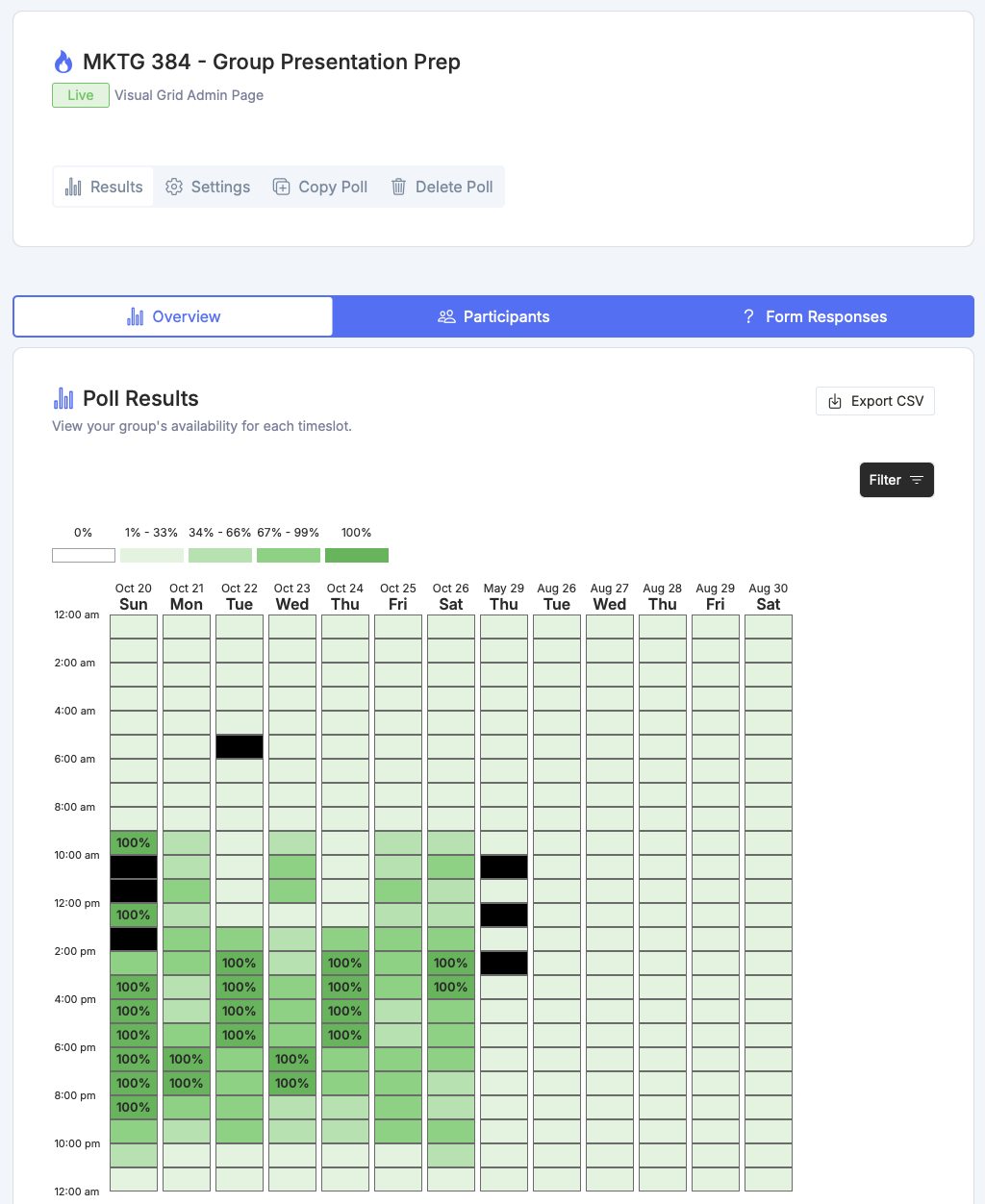
What is a Visual Grid Poll?
A visual grid poll is an availability voting tool designed to help groups find overlapping meeting times without back-and-forth messages. It functions by displaying proposed dates and time slots along a matrix grid. Participants simply click and drag (or tap) across time slots to "paint" when they are available. As responses are submitted, the grid automatically aggregates everyone's schedule into an at-a-glance visual heatmap showing peak group overlap.
Visual Grid Polls vs. Traditional Polling
While traditional group polls rely on static option lists or manual email tallying, visual grid polls offer major advantages:
- Paint-by-Drag Selection: Participants can highlight large blocks of open time across multiple days in a single smooth drag motion rather than checking off individual boxes.
- Visual Heatmap Results: Color-coded overlay shading instantly highlights the winning time slots with the highest group overlap so the host can pick a final time in seconds.
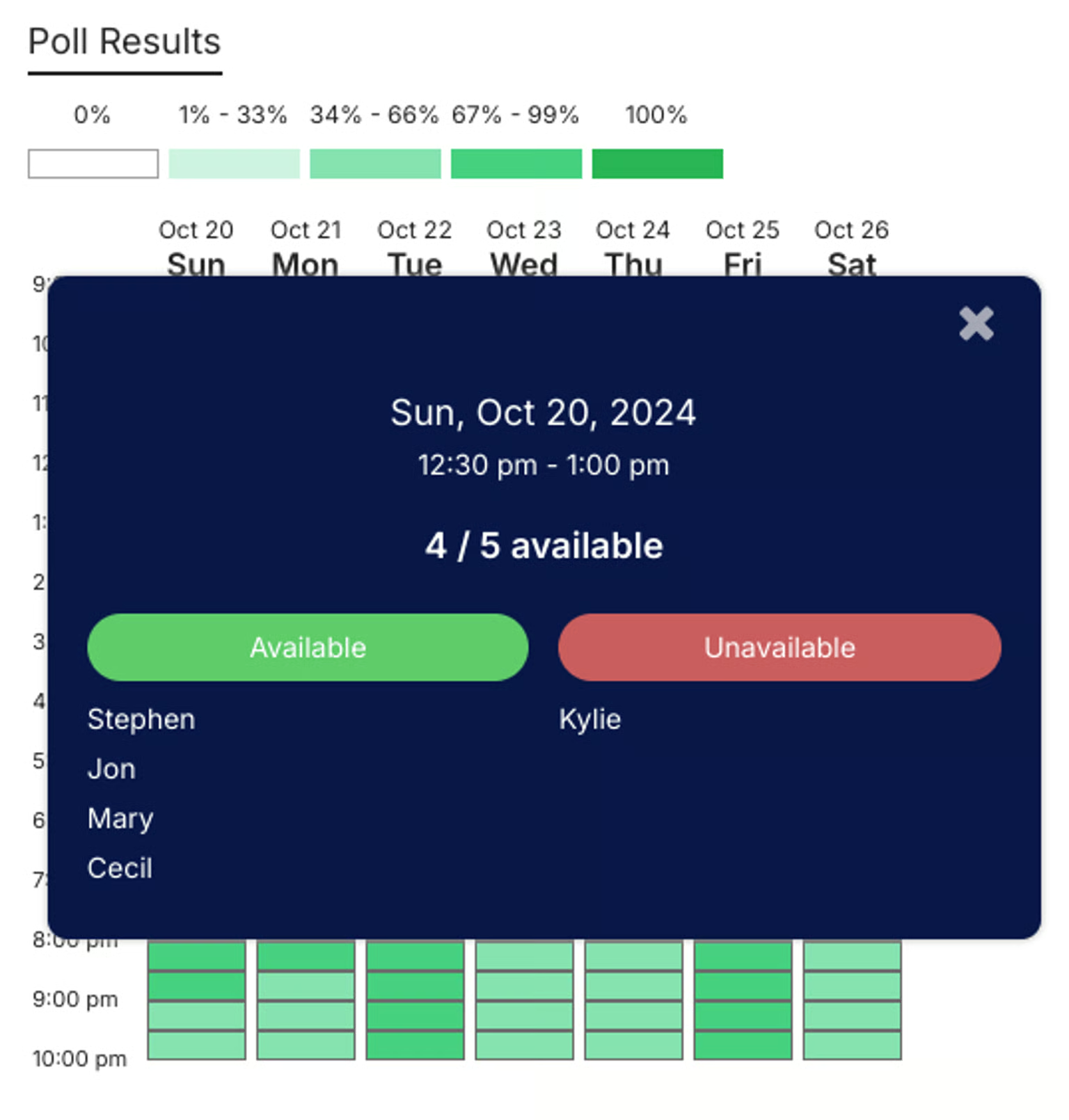
- Instant Centralized View: Live results layer everyone's availability on top of each other automatically as votes come in, eliminating hidden schedules or lost emails.
What Features Make a Great Visual Grid Poll Tool?
- Zero Participant Friction: No account creation, app downloads, or forced logins required for respondents.
- Ad-Free Interface: A clean, clutter-free grid layout with no distracting popups or banner ads.
- Intuitive Paint-to-Select UI: Smooth drag-and-drop interaction designed to work effortlessly on both desktop mice and mobile touchscreens.
- Instant Heatmap Aggregation: Clear visual shading that shows the best time for the group at a single glance.
A tool that makes group scheduling easier
TallyCal Visual Grid Polls offer a full list of features to allow for the most flexiblity while still keeping the process simple for the host and participants.
No login required
Start creating your event poll instantly, no account required, and it’s completely free!
No ads
Unlike most free group scheduling tools cluttered with ads, TallyCal offers a clean, professional interface that's fully optimized for any device.
Share your scheduling poll with a simple link
Quickly share your event poll URL via email or text, and start gathering responses in seconds. Pro users can even customize the URL for a personal touch.
Custom questions
Add custom questions to gather all the important information you need from your participants.
Hide participants
Keep participant signups private by hiding their names from others—only the event host can see who has signed up for each slot.
Notifications
Get notified by email instantly each time a participant submits a response.
Unlimited participants
With TallyCal, there's no limit on the number of participants who can respond to your event, for free!
Show dates or days
Participants can select their availability for specific dates or by day of the week, like Monday or Tuesday, making it easy to see who’s free and when.
Blackout times
Hide specific hours from your visual grid.
Compare the Group Scheduling Tools
Looking for the best group scheduling tool to organize study groups, meetings, and social events? While traditional tools like Doodle and When2Meet are widely known, they often flood your participants with annoying ads, force mandatory account setups, or lock simple features like custom questions behind expensive paywalls.
TallyCal provides a clean, ad-free, and frictionless alternative. See how TallyCal stacks up against the competition:
Visual Grid Polls are the quickest, easiest, and simplest tool for group scheduling! Here is how it works:
Create your visual grid poll in just minutes. Simply add your event title and description to get started.
Choose the earliest hour and latest hour participants can select for each day. Each row in your grid will represent a half hour.
Select which dates will be displayed in the heatmap grid. Each date is displayed as a column.
Enable all the extras! If you want participants to answer additional questions, simply add a text form. You can also activate notifications to receive an alert whenever someone submits their availability.
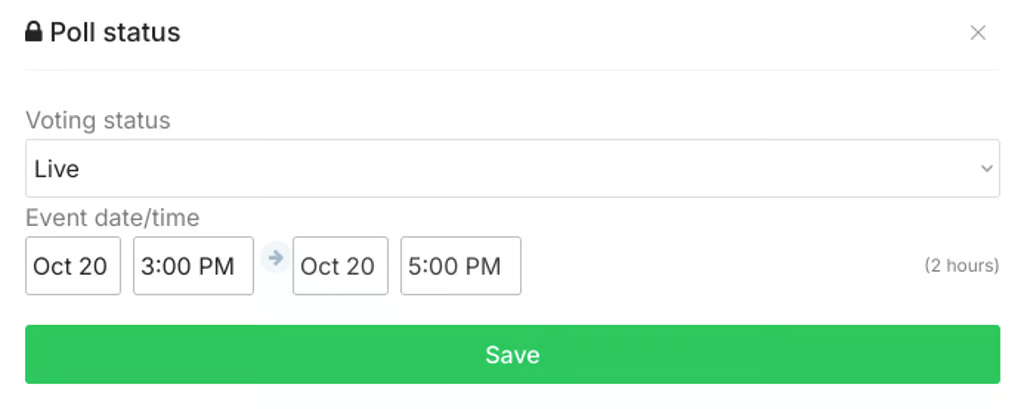
Publish and now your poll is live! Copy the public poll link and share it with your group via email, text, or social media
Once participants add their availability, you can easily view the results. Need to manage your event in Excel? Simply export the polling data as a CSV file.
Frequently Asked Questions
Do my participants need to create a TallyCal account to sign up?
No. Participants can access your polls and sheets via a direct link and claim and submit their response in just two clicks without registering, creating a login, or entering a password.
Is TallyCal free to use?
Yes. TallyCal offers a robust, free tier that includes unlimited polls, sign-up sheets, and participants with no mandatory account creation or invasive display ads. For power users needing extra functionality like custom URL links or advanced admin features, TallyCal also offers an optional paid Pro upgrade.
Can I export the results and data to a CSV or Excel file?
Yes. You can download your entire poll dataset as a CSV file at any time from your admin dashboard to print results or manage logistics offline.
How will I know when a participant submits a response?
You can enable instant Email Notifications in the settings. Every time a participant submits a response, TallyCal sends an alert straight to your inbox.
Is the free tier of TallyCal supported by ads?
No. Unlike traditional free scheduling software that show heavy display ads on polls and signup sheets, TallyCal maintains a clean, ad-free experience for both host and attendees.
Can I collect additional details from participants?
Yes. You can add Custom Questions to your polls and signup sheets to collect required info like phone numbers, T-shirt sizes, dietary restrictions, or child names alongside their submission.
Can I keep participant names private from the rest of the group?
Yes. TallyCal offers an optional Hide Participants privacy setting. When enabled, participant names remain completely hidden from other viewers on the public link, and only you (the organizer) can see what was submitted.
Ready to end scheduling headaches?
Join thousands of organizers who use TallyCal to plan meetings, events, and signups effortlessly. Start creating your first poll in seconds.
TallyCal makes it easier to schedule group meetings with quick and simple polls for finding the best time. Focus on your event, not on the back and forth scheduling emails.
©2026 TallyCal All right reserved.