COMPARE TALLYCAL
The Best Doodle Alternative
Create professional scheduling polls in under 2 minutes. No account required for you or your participants. No ads. Ever. If you need a Doodle alternative that feels modern, TallyCal is the free group scheduling tool built for speed.
What Is Doodle?
Doodle is one of the oldest group scheduling tools, founded in 2007 in Switzerland. It became widely popular for a simple idea: share a free scheduling poll, let people pick times that work, and quickly find overlap. Over the years, though, the product has changed. Today, Doodle requires account creation for hosts and participants, free polls include ads, and pricing has increased repeatedly.
That shift is why so many people are searching for the best free Doodle alternative, a modern group scheduling tool that restores the fast, ad-free, frictionless feel of classic meeting polls without the bloat.
How does Doodle work?
At its core, Doodle replaces back-and-forth email chains with a centralized voting matrix. The platform operates on an asynchronous polling model that separates the experience into two distinct workflows: the host setting up the meeting options and the attendees voting on their availability.
Here is exactly how the platform operates from start to finish.
1. Creating the Group Poll (The Organizer Experience)
To launch a meeting poll, the host navigates through Doodle's step-by-step setup wizard:
- Enter Event Details: The creator enters a title, an optional meeting description, and a location (e.g., in-person address or a video conference link like Google Meet or Zoom).
- Select Proposed Time Slots: Using a visual calendar interface, the host clicks on specific dates and times to build a menu of potential meeting options.
- Configure Poll Rules: Organizers can toggle optional settings, such as limiting how many options a participant can choose, capping total votes, or hiding participant names for a hidden poll.
- Connect Calendars: Hosts can link Google or Outlook calendars to view their personal commitments while selecting proposed times.
- Account Requirement: To publish and manage a live poll, the organizer must register or log into a Doodle account. On Doodle's free tier, organizers are limited to one active group poll at a time and up to 10 proposed time slots.
2. Distributing the Poll Link
Once published, Doodle provides a unique shareable web link. The host can distribute this link across any channel:
- Direct email or messaging apps (Slack, WhatsApp, Teams)
- Group chat threads or social channels
- Automated invite emails sent directly through Doodle's platform
3. Voting on Availability (The Participant Experience)
For invitees, the process is built around a visual selection grid, though modern updates have added extra steps:
- View the Availability Grid: Participants click the link to open a matrix displaying proposed dates and times along the top and existing participant responses down the side.
- Cast Votes: Invitees mark their availability for each slot using a simple selection menu—typically selecting "Yes" for open slots or leaving non-viable options blank.
- Enter Name and Email: Before submitting, voters must enter their name and email address so the host knows who submitted the response.
- The Ad Factor & Upsells: On Doodle’s free plan, the poll page is heavily surrounded by third-party display ads for both the host and the voters. Participants are also frequently prompted to create a Doodle account or download app notifications after submitting.
Why People Switch from Doodle
Forced Organizer Availability and Rigidity
On standard tiers, the host is often locked into being marked available for all proposed time slots by default.
Ads Everywhere
Free Doodle is cluttered with ads that can make your poll feel distracting and unprofessional.
Price
Simply put, premium plans start at a lower price point of $7/month on TallyCal versus SignUp Genius that offer higher priced plans.
One Active Poll Limit
Doodle restricts free users to just one open poll at a time, forcing you to delete existing polls or pay for a subscription to schedule multiple events.
For years, Doodle was the go-to choice for scheduling group meetings. But the product has drifted away from its roots. What was once a simple, free tool now requires everyone to create an account before they can even cast a vote. The free tier is overrun with display ads that make your poll look unprofessional. And the paid plans have crept up to $15/month -- for features that TallyCal includes for free or at a fraction of the cost.
This is exactly why TallyCal was built: to be the scheduling tool Doodle used to be, but better. No
accounts, no ads, no complexity. Just share a link and find a time.
Learn more about TallyCal Group Scheduling Polls
TallyCal vs Doodle: Feature Comparison
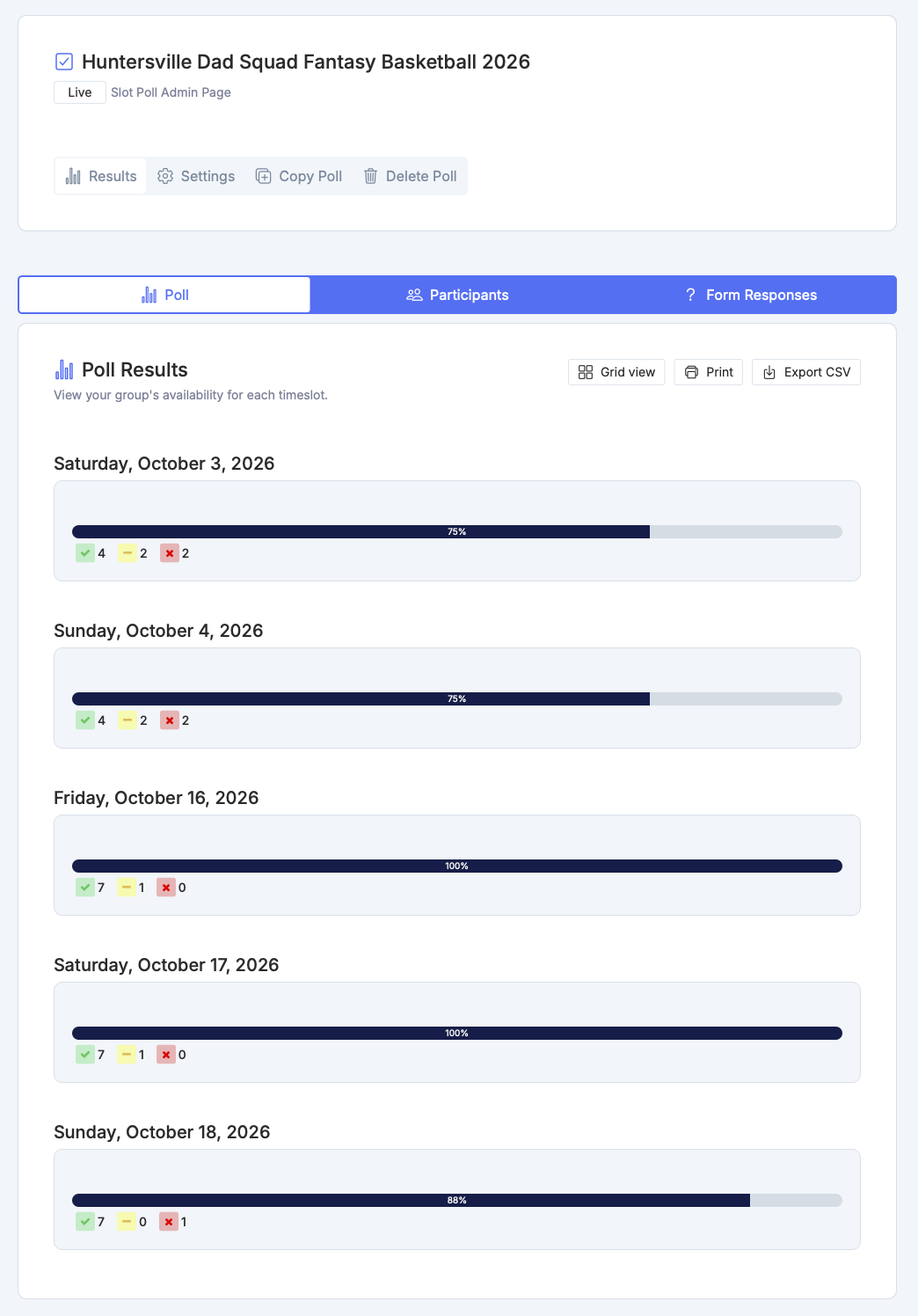
TallyCal is the quickest, easiest, and simplest tool to find the best group meeting time! Group scheduling the smart way! As a host, you can get setup in under 2 minutes. Set individual start and end times for each option in your poll. Share a link with your group, and easily determine which date works best.
- Find the right date without the back and forth
- Quick setup, no registration required
- Beautifully designed polls, without spammy ads
Who Should Switch from Doodle to TallyCal?
Teachers and Educators: If you are a teacher coordinating parent-teacher conferences for 30 families, Doodle's
mandatory account creation means asking every parent to sign up before they can pick a time slot. With TallyCal, you
share a single link -- parents tap their availability in seconds, no download or login required. It is scheduling the way it
should be.
Remote Teams: If your team works across time zones -- say, New York, London, and Tokyo -- Doodle's limited
timezone handling can lead to missed meetings and confusion. TallyCal automatically detects each participant's local
timezone and displays times accordingly, so everyone sees the right time without mental math.
Event Organizers: If you run a community group, sports league, or volunteer organization, you need a tool that
handles recurring scheduling without a learning curve. TallyCal's heatmap mode lets participants paint their weekly
availability onto a visual grid, and the color density instantly shows where the group overlaps. No spreadsheets, no
back-and-forth emails.
Casual and Social Plans: And if you are just trying to find a night for dinner with friends, TallyCal gets you from zero to
a shareable link in under a minute. No one wants to create an account just to say "Thursday works for me."
Frequently Asked Questions About Group Scheduling Polls
What is the best free alternative to Doodle for group scheduling?
TallyCal is the leading free alternative to Doodle. Unlike Doodle, which now limits free users to just one active poll, displays invasive advertisements, and requires account creation, TallyCal offers a 100% ad-free experience with unlimited active polls, unlimited participants, and zero mandatory sign-ups for organizers or voters.
Why did Doodle change its free plan and add strict limits?
Doodle shifted toward a freemium monetization model, restricting free tier users to only one open poll at a time and locking core features—such as CSV exports, poll duplication, automatic deadline locks, and ad removal—behind a $15/month Doodle Pro subscription. TallyCal provides these essential scheduling features for free without paywalls or ad clutter.
Can I create a group scheduling poll without requiring participants to create an account?
Yes. Neither organizers nor participants need to register or log in to create or respond to a TallyCal poll. Voters simply click your unique link, enter their name, select their availability, and submit—eliminating login friction and dramatically increasing response rates compared to Doodle.
How many active group polls can I run at the same time on TallyCal?
You can create and run unlimited active polls simultaneously on TallyCal at no cost. On Doodle’s free tier, you are capped at exactly one active poll and must delete your existing poll or upgrade to a paid subscription to create a second one.
Can participants choose "If Need Be" when voting on time slots?
Yes. TallyCal includes built-in "Yes / No / If Need Be" availability polling on free plans, making it easy for participants to mark conditional availability. You can even customize "If Need Be" labels to match your event needs (e.g., "If Necessary" or "Backup Option").
Is there a participant limit on free TallyCal group polls?
No, TallyCal allows unlimited participant responses per poll for free. Doodle caps free and paid group polls at a maximum of 1,000 participants.
How do I export my poll results to Excel or CSV?
With TallyCal, organizers can export all voter responses to a clean CSV or Excel spreadsheet instantly for free. Doodle paywalls data exports behind its $15/month Doodle Pro subscription.
Can I duplicate an existing group poll for recurring meetings?
Yes, TallyCal allows one-click poll duplication for free so you can quickly clone recurring meeting slots, tweak dates, and share a new link in seconds. Doodle blocks poll duplication on its free plan and requires a paid Pro subscription.
Does TallyCal show distracting ads to my meeting participants?
No. TallyCal is 100% ad-free across all plans. Your poll respondents will never be bombarded with banner ads, pop-ups, or third-party video trackers while trying to vote on meeting times.
Can I collect availability across time zones accurately?
Yes. TallyCal automatically detects each participant's local time zone while displaying options clearly, ensuring seamless scheduling for remote or international teams without timezone confusion or accidental double-bookings.
How do I set automated deadlines or close a poll automatically?
TallyCal lets you set an automated closing date and time on any free poll to freeze voting when your deadline hits. Doodle requires a $15/month subscription for automated deadline locks, forcing free users to manually track down responses and lock polls by hand.
Can I use TallyCal for both visual calendar grids and task sign-up sheets?
Yes. TallyCal supports visual calendar grid polls, date/time slot selections, and dedicated item/task sign-up sheets (e.g., volunteer signups, bringing items, or shift rosters). Doodle only supports time slot polling and does not offer item or task sign-up sheets.
Is TallyCal optimized for mobile phone users?
Yes. TallyCal is designed with a mobile-first UI that loads instantly on smartphones and tablets. Participants can tap their availability or claim slots in seconds directly from their mobile browser without downloading an app or logging into an account.
How do I share my group poll privately?
Every TallyCal poll generates a unique, unlisted link. Your poll is not indexable or publicly searchable on search engines, ensuring that only people with whom you explicitly share the link (via email, text, or team chat) can access and vote on your schedule.
Ready to end scheduling headaches?
Join thousands of organizers who use TallyCal to plan meetings, events, and signups effortlessly. Start creating your first poll in seconds.
TallyCal makes it easier to schedule group meetings with quick and simple polls for finding the best time. Focus on your event, not on the back and forth scheduling emails.
©2026 TallyCal All right reserved.