
Why should you explore new calendar and scheduling tools?
Productivity tools have become increasingly more important in our daily lives. Whether it is a simpler user interface, AI guidance, or time saving features, these tools will help you get more done. While productivity tools have a broad range, calendar and scheduling apps have become a part of everyday workflow.
The Rise of Artificial Intelligence
Power users are increasingly seeking productivity tools that harness the capabilities of artificial intelligence (AI). With AI technology becoming more accessible, it has started to be integrated into new products, reshaping the way we work and interact with our tools. This integration isn't one-size-fits-all, as it makes more sense for some tools to embrace AI's potential than others. AI-equipped productivity tools, often likened to virtual assistants, are designed to simplify and enhance various aspects of work and life. They excel at automating repetitive tasks, understanding user behavior, and providing intelligent insights that significantly boost efficiency. Users are drawn to these tools for the promise of greater time savings, improved decision-making, and heightened personalization. As individuals and businesses strive for smarter, more data-driven solutions, the allure of AI-driven productivity tools continues to grow, revolutionizing the way we work and offering users a competitive edge in an ever-evolving landscape.
Customization and Flexibility
In today's fast-paced and dynamic world, people are increasingly in search of productivity tools that not only streamline their tasks but also adapt to their unique needs. While basic calendar tools come with a few customization options, some users desire a higher level of flexibility and authority over how their calendars operate and look. In response to this growing need, alternative solutions step up by providing an array of customization features, enabling users to adapt their scheduling process to suit their branding or specific requirements effectively. This desire for greater customization and flexibility arises from the recognition that one size does not fit all when it comes to optimizing efficiency. Users want the ability to tailor their productivity tools to align seamlessly with their specific workflows and preferences, allowing them to work smarter, not harder. Whether it's customizing the appearance and functionality of calendars, task management apps, or collaboration platforms, the demand for such adaptability stems from the realization that personalized tools empower individuals and teams to maximize their productivity, stay organized, and achieve their goals more efficiently. In essence, the quest for customizable productivity tools reflect the modern user's pursuit of productivity solutions that work precisely the way they do.
Simplicity
Software users are actively seeking productivity tools that prioritize a simple user experience and ease of use. As popular tools have evolved, they can sometimes become more complex as more features are demanded of them. Some users prioritize the user experience and aesthetics of their scheduling tool to create a polished and professional image for their clients. This desire for simplicity and user-friendliness is driven by the realization that time is a precious commodity. Users want tools that don't require extensive training or complex onboarding processes, allowing them to hit the ground running and maximize their productivity from day one. We have explored products that offer more visually appealing interfaces or smoother user experiences, understanding that products designed with simplicity in mind offer a seamless and enjoyable user experience, reducing frustration and streamlining workflows. Whether it's a calendar or scheduling tool, the emphasis on simplicity ensures that users can focus on their meetings rather than grappling with a steep learning curve.
Pricing and Budget Considerations
Individuals and businesses are actively seeking productivity tools that offer pricing solutions tailored to their unique needs. The most popular tools out there may have pricing plans that don't fit with your budget. Many users seek alternatives that offer more competitive pricing, better scalability, or a more generous free tier. This demand for customizable pricing structures arises from the recognition that traditional one-size-fits-all pricing models often don't align with the diverse requirements of modern users. Individuals and businesses are looking for tools that can flexibly adapt to their usage patterns, scale with their growth, and provide cost-effective solutions that optimize their budgets. By offering pricing solutions that cater to specific needs, these tools empower users to access premium features without breaking the bank. This shift towards tailored pricing solutions reflects a commitment to fairness and transparency in the software and services industry, ensuring that users receive maximum value for their investment, ultimately enhancing their productivity and bottom line.
Tools to Explore
We have all heard about the most popular apps such as Google Calendar and Calendly; however. there are thousands of other productivity tools available to businesses and consumers. You could spend hours upon hours reading through software directories such as G2 and Capterra. In this article, we did some of that research for you. We have identified and tried some of the best growing products that aren't the most well known yet, but offer a better service than the most popular tools that you may be aware of.
OneCal
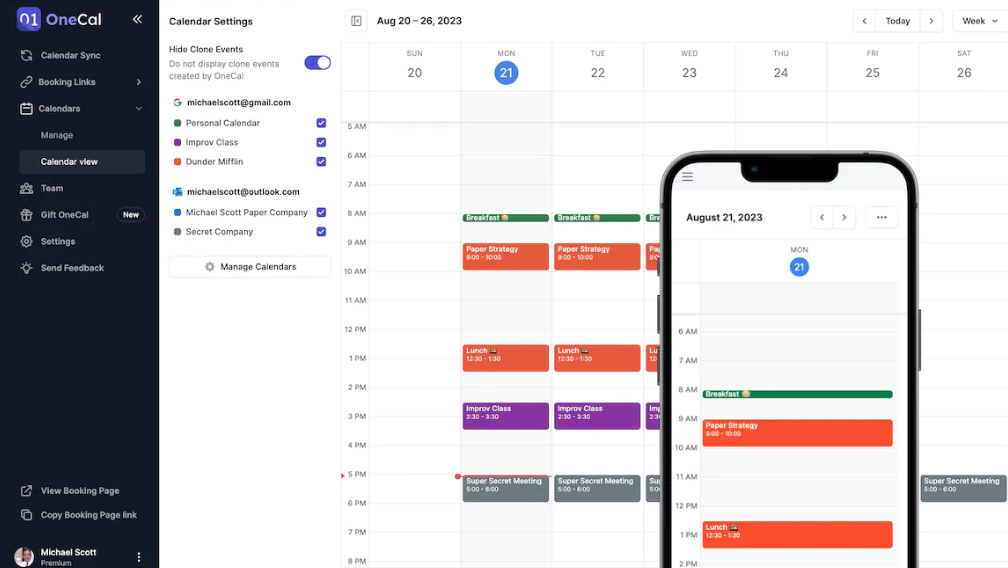
OneCal was built for people who have multiple calendars across multiple organizations. If you fall into this category, then you know there is complexity with overlapping appointments and scheduling. OneCal helps you avoid meeting conflicts by automatically blocking time in your work calendar for meetings in other calendars. This prevents the issue of other people in your organization who think your calendar may be open, but it really is not because of an appointment on another calendar that you use. This tool also considers privacy so that you can limit what members of your organization can see even if a time is blocked by another calendar. A nice perk is that this tool supports multiple types of calendars, such as Google and Microsoft Outlook.
TallyCal
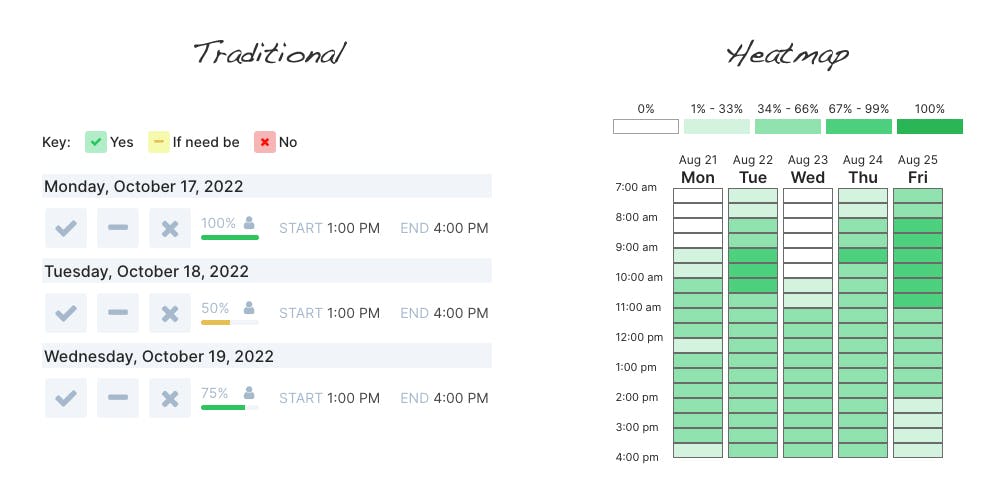
TallyCal is the simplest tool for scheduling group events or meetings. With a very clean and intuitive user interface, as the host of an event, you can get a poll setup in just 2 minutes. This polls allows you to survey when your participants are available to find the best time to schedule your calendar invite. Users of TallyCal have saved a lot of time by avoiding the headaches with back and forth emails across a large group. TallyCal automates all of this so you can be productive with the rest of your life. TallyCal has several types of polls available such as simple 'yes' or 'no' availability, or selecting times on a heatmap grid. The most common users of this type of service are event planners, professors, project coordinators, and recruiters. However, the free plan opens a wide variety of uses cases across personal scheduling such as finding time to meet with a group of friends.
TallyCal will provide the most value for anyone who still relies on scheduling meetings strictly through emails. Give TallyCal a try to avoid the frustration that comes with scheduling events and meetings with groups of people.
Check out TallyCal
SkedPal
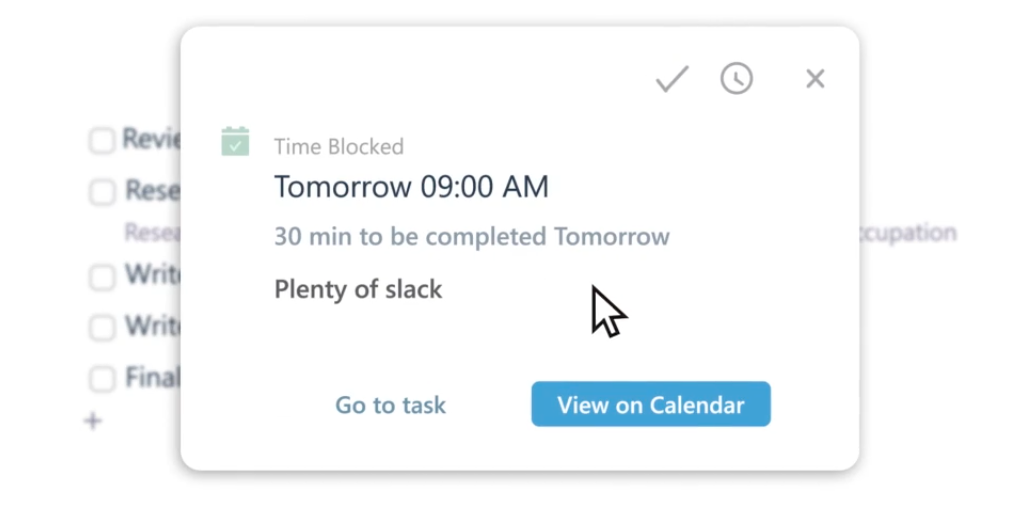
SkedPal is a transformative productivity tool that has left a lasting impact on users across various professional and personal domains. It caters to the needs of busy individuals who have struggled with task management, offering an ingenious solution to the overwhelming burden of open tasks. Users have marveled at its ability to streamline their schedules and free up mental space. SkedPal's standout features include lightning-fast task entry with natural language parsing, integration of the GTD methodology with a focus view, automatic rescheduling of tasks after distractions, and highly flexible recurrence patterns. Notably, problematic tasks are highlighted, ensuring that no task is left behind. SkedPal's innovative time maps enable perfect task prioritization throughout the day according to individual preferences. Users have lauded the intelligent time-blocking feature, which effortlessly generates schedules based on task start and due dates, calendar integration, and personalized time maps. This dynamic scheduling tool not only enhances productivity but also facilitates better communication with managers and empowers users to regain control of their workdays. Its unique ability to seamlessly integrate to-do lists with calendars has led many to declare that SkedPal has changed the way they approach their workdays, making it a standout among productivity apps.
While SkedPal can be very complex to learn, users agree that it is a worthwhile investment that is a super robust solution that will automatically block off the appropriate time on your calendar to get items on your todo list done.
Amazing Marvin
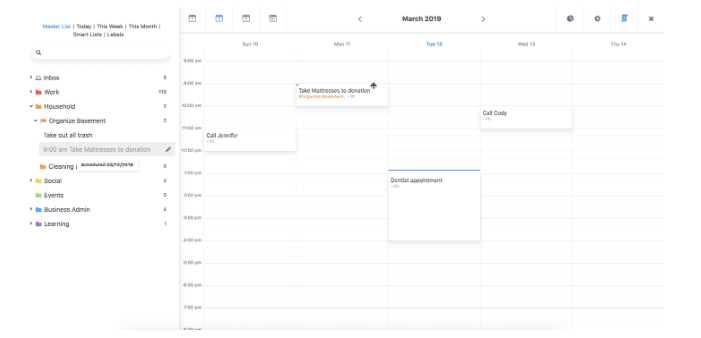
Amazing Marvin is a task manager that integrates with your calendar. It simplifies task management by allowing users to tailor their workflow to their exact preferences. Its sleek and adaptable interface offers features like automatic task rollovers, visible procrastination counts, and a variety of strategies, from Pomodoro to time blocking. With a sleek default layout and comprehensive onboarding, Amazing Marvin makes it easy to get started. You can further fine-tune the app's appearance with various color sets, fonts, and separators. It's like having a personal assistant that's always ready to help you maximize your productivity. productivity powerhouse is not just a to-do list app; it's a transformative experience that has earned its reputation as a game-changer. It is built to seamlessly integrate with your calendars, making sure you are as productive as ever.
TickTick
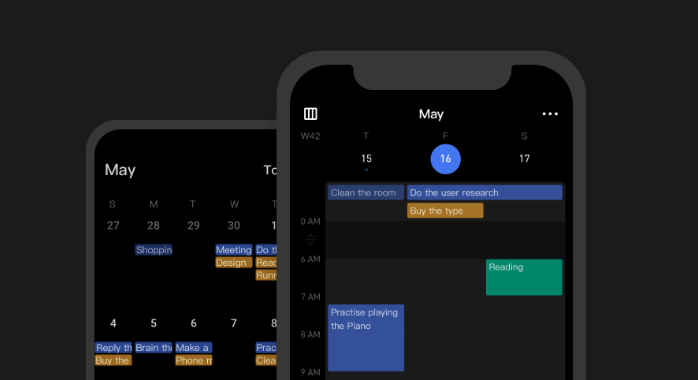
TickTick is a simple and effective to-do list and task manager that helps you make schedules, manage time, and organize all aspects of life. It is a productivity app that consistently exceeds expectations, offering a level of customization that's hard to match. Users hail it as the most versatile task manager, allowing them to create personalized project management systems with its tagging and filtering capabilities. Its Chrome extension and Gmail integrations are seen as hidden gems, enabling users to effortlessly turn emails and web content into actionable tasks. The app's seamless desktop and mobile integration further enhance its appeal, ensuring that anything you can do on one platform, you can do on the other. TickTick combines the best of task lists and calendars, offering subtasks, focus features, filters, labels, tags, and even an Eisenhower Matrix. It's a favorite among users who appreciate a feature-rich, cross-platform, and user-friendly productivity tool that integrates with your calendar.
GReminders
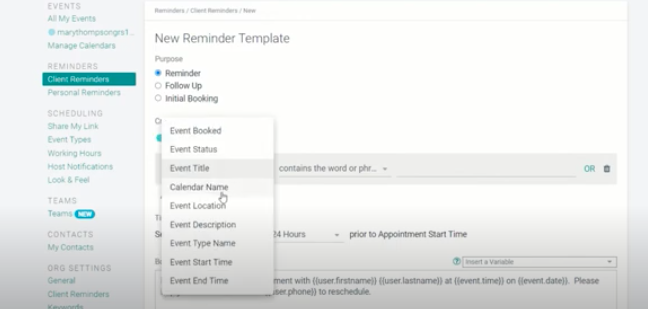
GReminders is a simple tool that will send notifications such as text messages to individuals to remind them that they have an appointment with you.This is a great product that will help to prevent users from not showing up to an important meeting or appointment, so that you don't waste your time waiting around for someone. It can integrate with both your Google and Outlook calendar, and you can even use it to allow people to schedule time with you. The reminder service can be fully customized such as including the purpose of the meeting, the method of communication the reminder will be sent by, the timing of when the reminder will be sent, and a personalized message to the individual. This is the perfect tool to assist your business with sending out reminders for any upcoming appointments.
SavvyCal
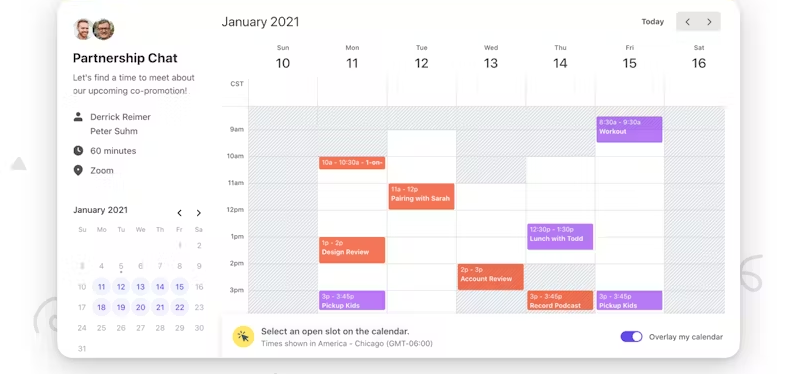
Calendly is the most popular tool for scheduling one-on-one appointments. However, there are more innovation options on the market. SavvyCal is our favorite Calendly alternative. It has a much cleaner and simpler user interface. SavvyCal allows you to create customized links for each person that you are meeting with. This allows you to personalize the page to the specific individual. SavvyCal also has a calendar overlay option which allows the participant to sync your Google or Outlook calendar to instantly find the best time to meet. There is also a lot of customization to make sure that you aren't overloaded with too many one-on-one meetings per day.
Other great perks of this tool inlude multiple calendar support, zoom integration, Chrome extension, and flexible meeting time lengths. Even if you are already setup using Calendly, I would strongly consider trying SavvyCal since it's so easy to migrate your workflow to this tool.
If you made it this far, you've seen some amazing tools. However, there are so many others out there as well. There is no best tool that works for everyone. You just have to find what integrates best into your workflow and makes you more productive.