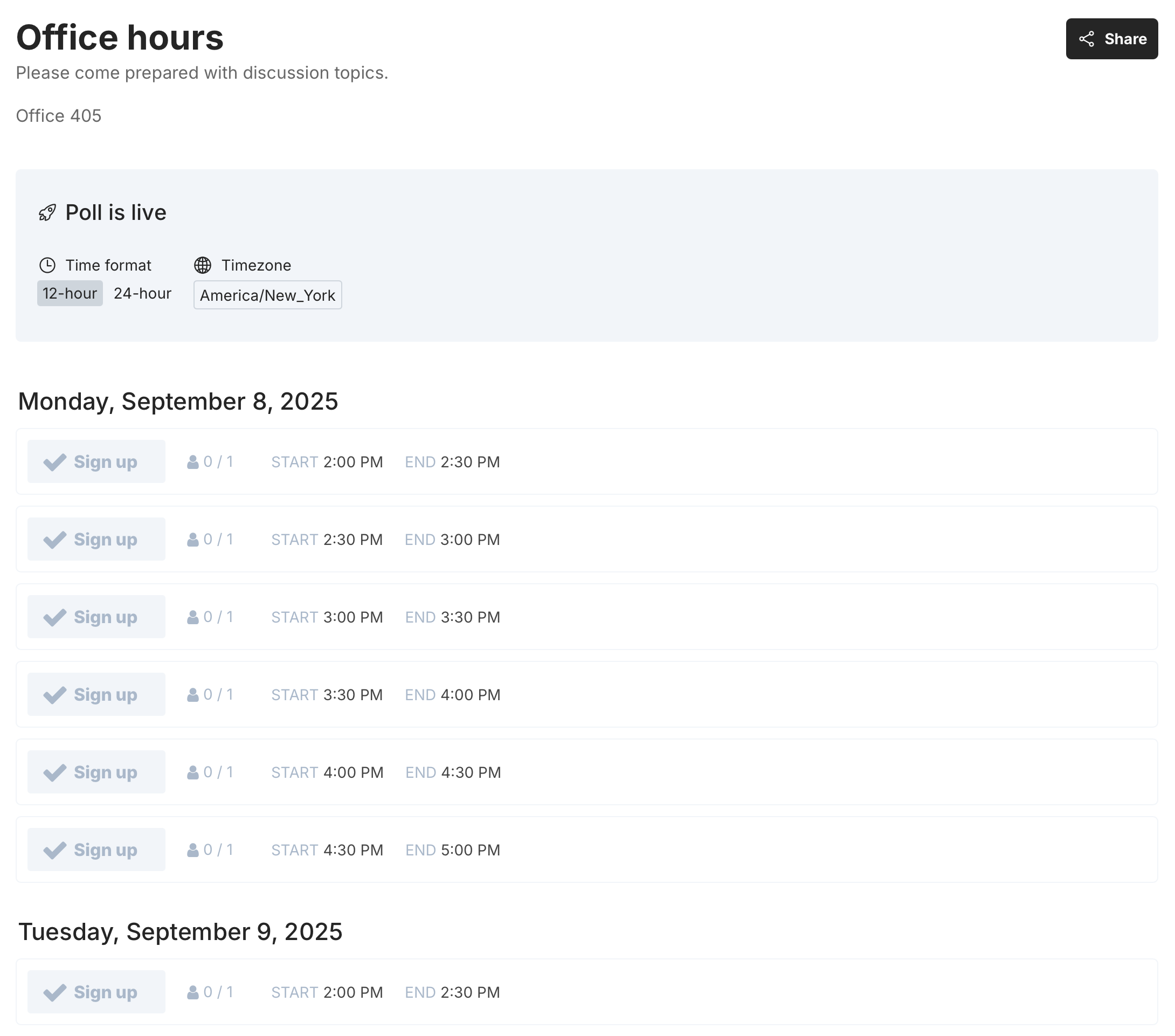
Managing student office hours can be tricky. Between overlapping requests, last-minute cancellations, and keeping track of who signed up when, the process often gets messy. Fortunately, you don’t need extra software to solve this problem—you can use Google Calendar’s appointment schedules feature to create a simple, shareable signup sheet for your students.
In this post, I’ll walk you step by step through the setup and then share a short case study of how one professor streamlined their office hours using Google Calendar.
Step 1: Open Google Calendar
Go to Google Calendar and log in with your school or personal Google account.
Step 2: Create an Appointment Schedule
-
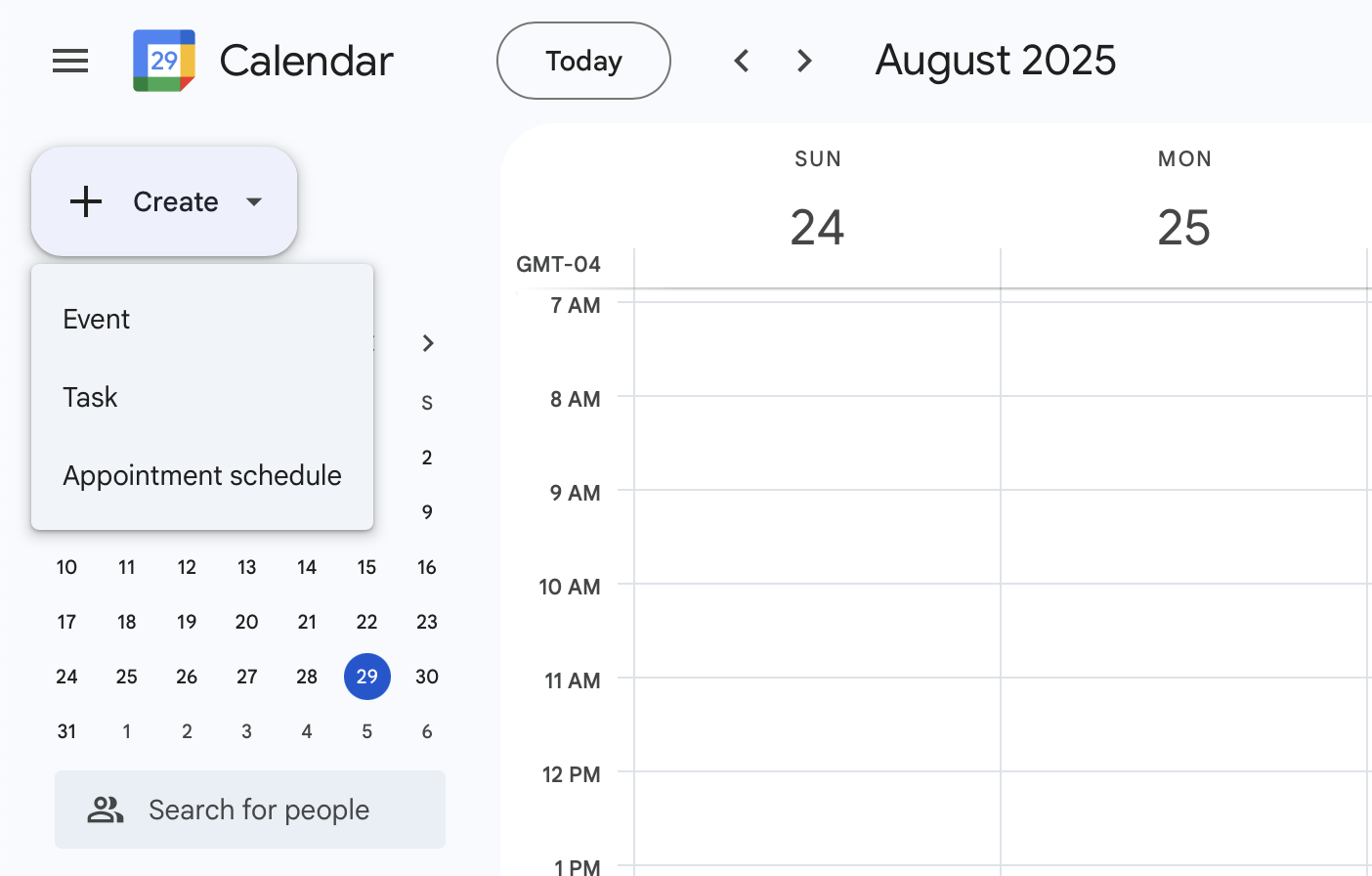
In the top-left corner, click “Create.”
-
Choose “Appointment schedule.”
Step 3: Choose Dates and Times
-
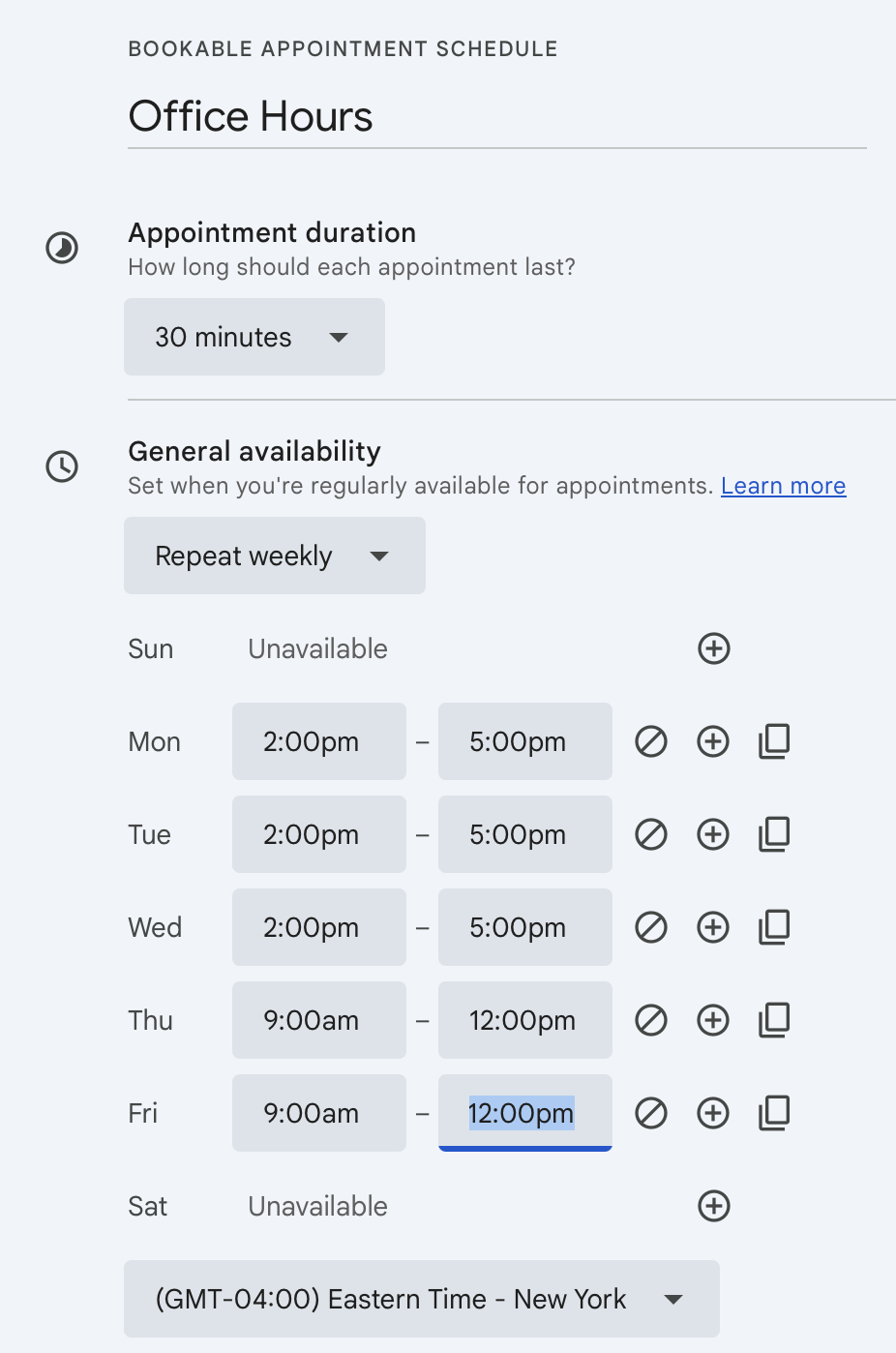
Set your appointment duration (e.g., 15 or 30 minutes per student).
-
If office hours are for just one week, select “Does not repeat.”
-
For recurring office hours (e.g., every Tuesday from 2–4 PM), choose how often the schedule should repeat.
-
Add your start and end times for each session.
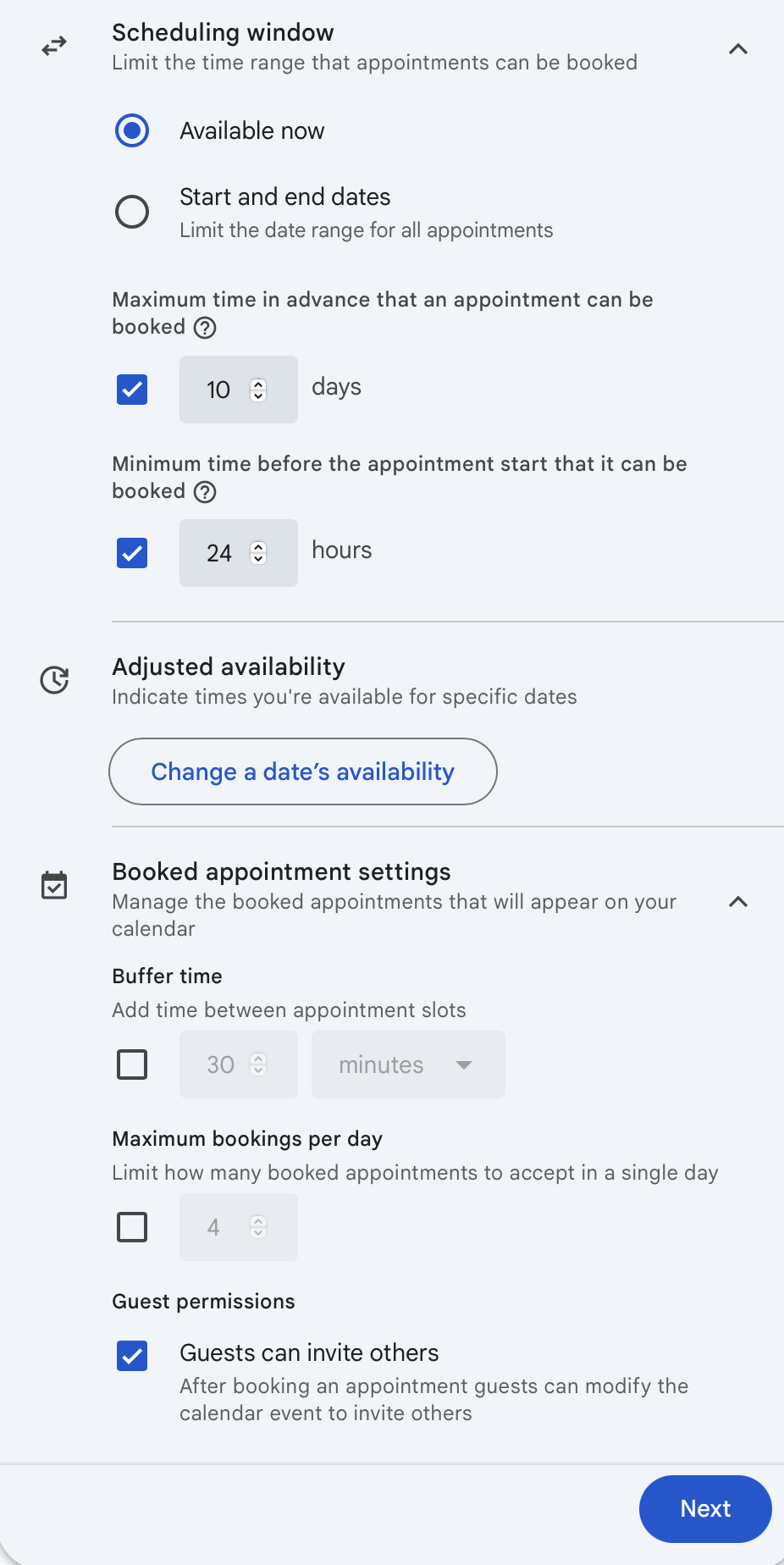
Step 4: Adjust Scheduling Options
Google Calendar gives you a few helpful controls:
-
Scheduling window → Decide how far in advance students can book (e.g., up to 14 days).
-
Minimum notice → Require students to book at least a few hours before a meeting.
-
Buffer time → Add gaps between appointments (e.g., 5 minutes) so you can catch your breath between students.
Step 5: Customize the Booking Page
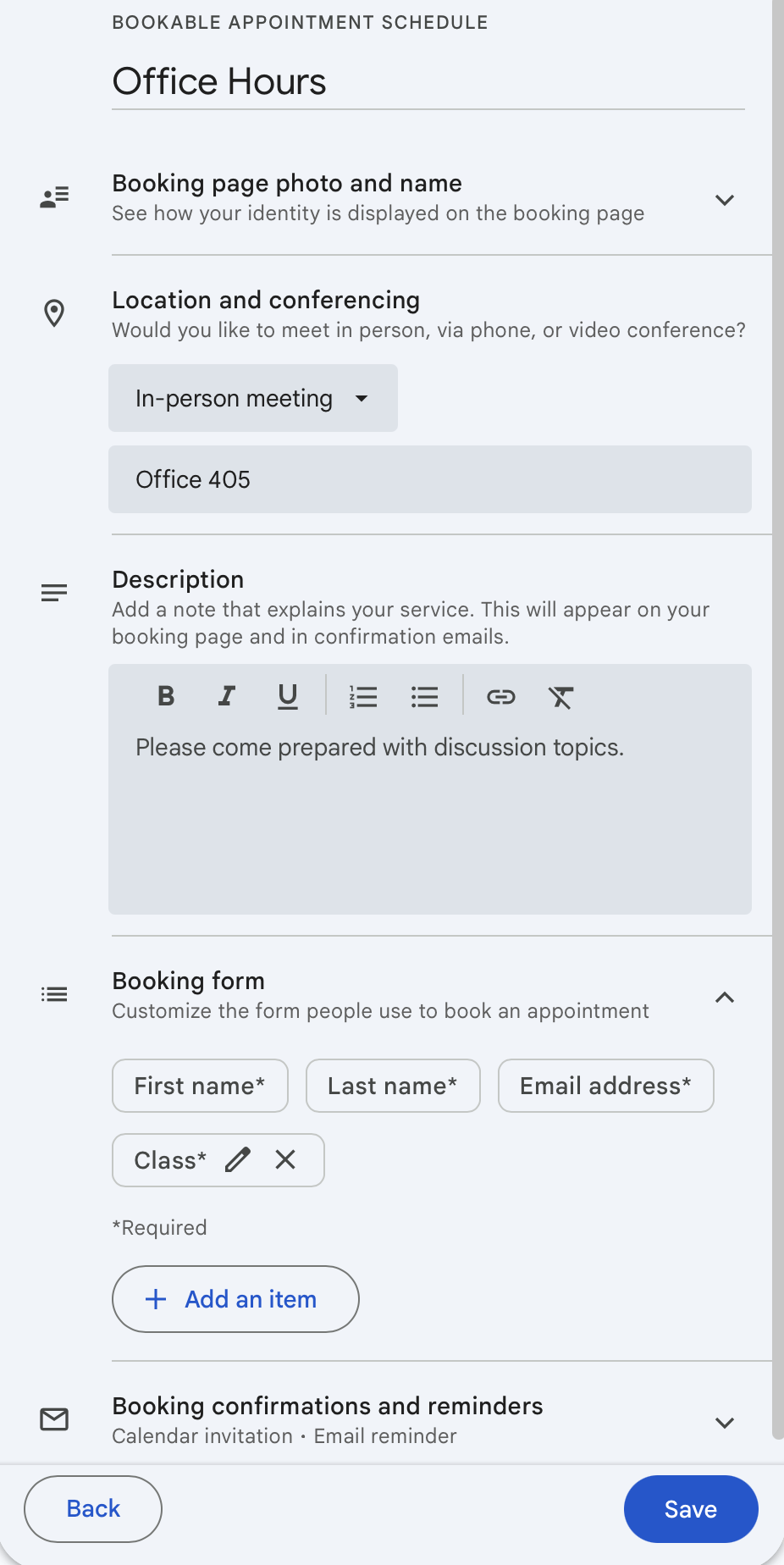
Click “Next.” Here, you can:
-
Add a description for office hours (e.g., “Bring your draft essay for feedback” or “Questions about upcoming exam”).
-
Add custom form items to collect details from students, like their course name, topic they want to discuss, or materials they’ll bring.
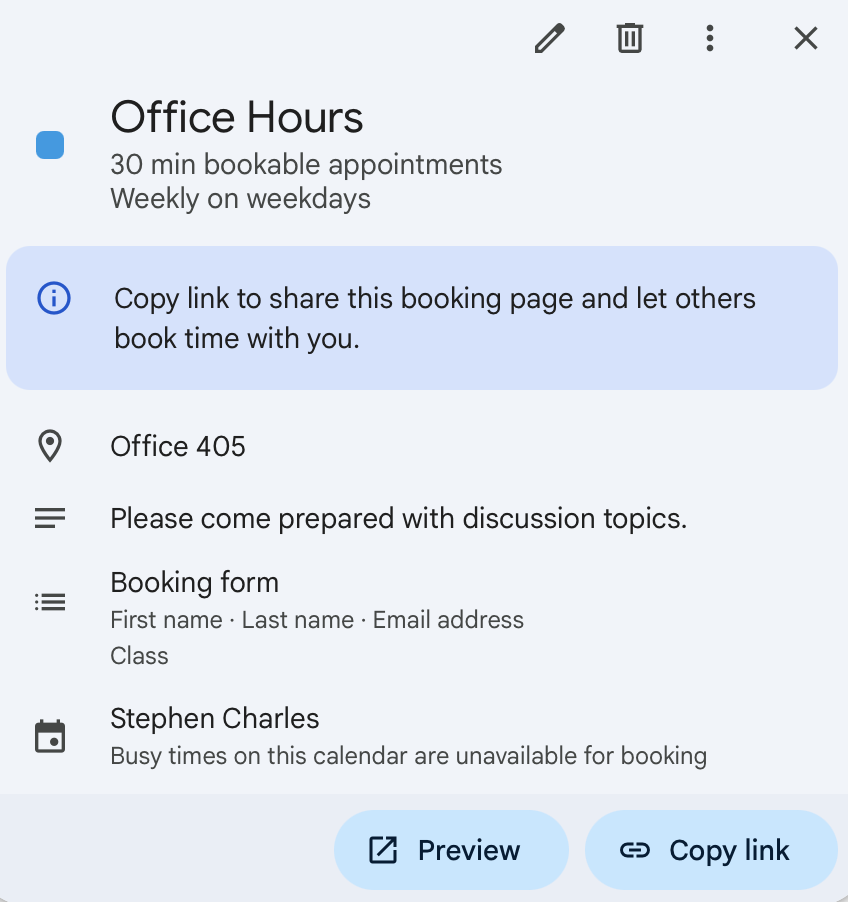
Step 6: Preview and Share
-
Click “Open booking page” to preview how it looks to students. You can toggle between your view and the student’s view.
-
Once you’re happy, click “Share your booking page.”
-
Copy the link and send it to students via email, your course management system, or your syllabus.
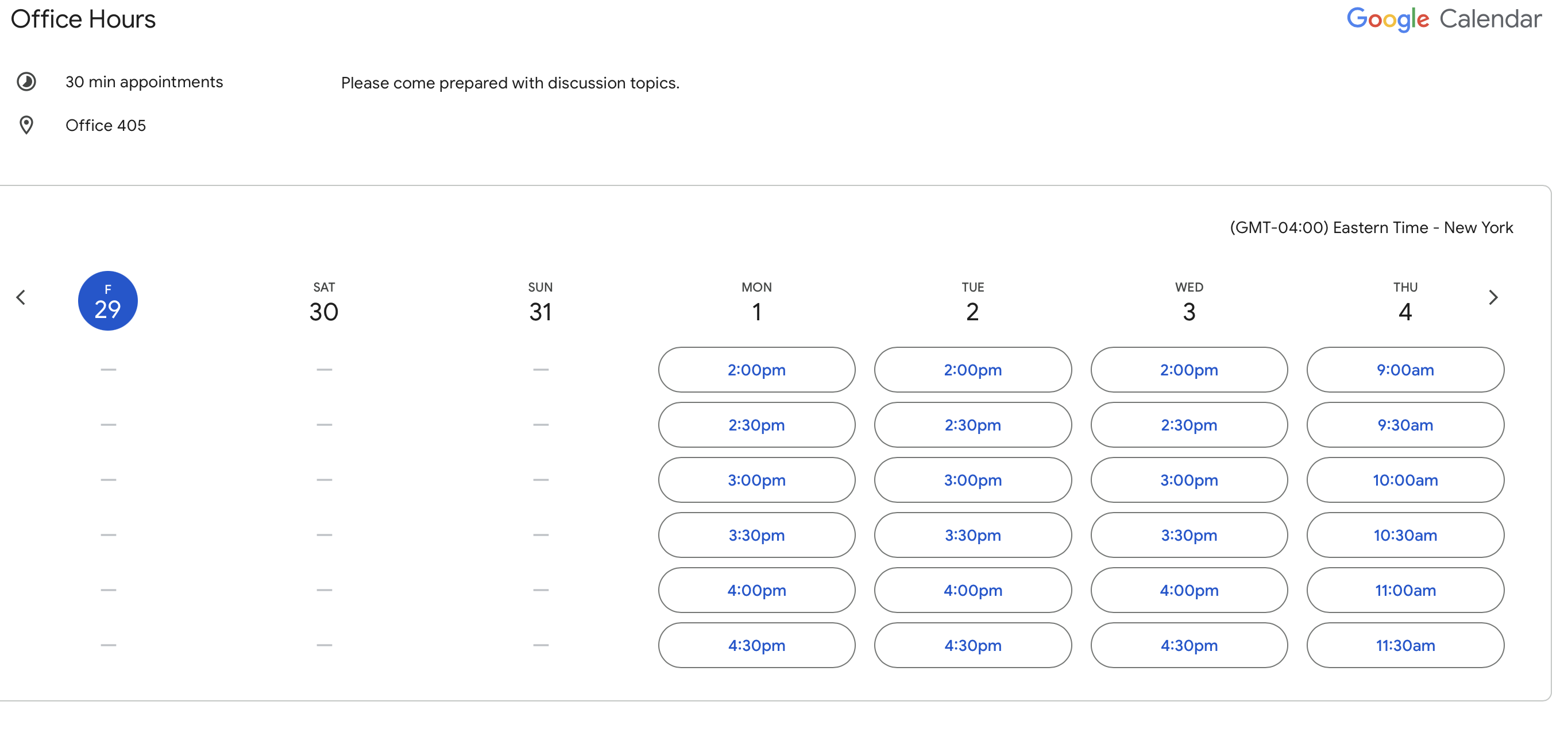
Students will see a clean signup page showing available time slots, and once a slot is booked, it’s automatically blocked from others.
Case Study: Professor Rivera Simplifies Office Hours
Professor Rivera, who teaches Intro to Psychology at a mid-sized university, used to manage office hours through an email chain—resulting in double bookings and long back-and-forth threads with students.
After switching to Google Calendar’s appointment schedules:
-
Students booked directly from a link in the course portal.
-
Each student was asked to provide their discussion topic in advance.
-
Buffer times gave Rivera a few minutes to review notes before each meeting.
-
She received automatic notifications when students booked or canceled.
The result? No more overlapping appointments, fewer last-minute surprises, and more productive office hours.
Why This Works
-
Free and accessible → Most universities already use Google Workspace.
-
Automatic updates → No manual tracking—slots fill and close automatically.
-
Easy for students → A simple link lets them pick a time that works.
With just a few clicks, you can turn Google Calendar into a powerful signup sheet that saves you time and makes office hours smoother for everyone.
For professors who need more flexibility than Google Calendar offers, tools like TallyCal can be a good alternative. While Google Calendar works well for simple one-on-one signups, TallyCal provides advanced features such as customizable booking pages, group signups for study sessions, automated reminders, and integrations with video conferencing platforms like Zoom. These extras can be especially helpful if you manage large classes, want to reduce no-shows, or prefer more control over how students schedule their time.