Boost productivity with a form builder like no other
TallyCal is the simplest way to schedule group events. As an event host, you can choose from several different types of scheduling polls to find the best day and time for your group. With the latest update, you can also ask your participants open questions, where they can provide text-based responses along with their scheduling choices.
The new forms feature was very important to TallyCal power users, because not only did they want to collect scheduling availability, but they also wanted to collect additional information. Unfortunately, many users had no choice but to use two products to solve for this. The first, TallyCal, to find the best group scheduling availability. And then a second, such as a follow up email, to gather more information.
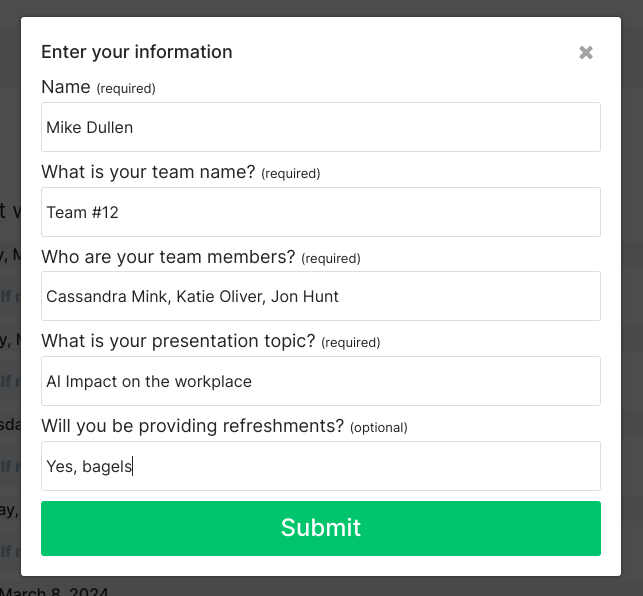
To make this process easier for users, and consolidate it down to just one product and step, we built a new form feature with the goal of keeping it just as quick, easy, and simple as all of the other features offered on TallyCal. When creating a poll, Pro users can now add up to 5 open questions that participants will be provided when submitting their poll choices. Each question, will be returned with a text-based response from the participant.
Simple but powerful
As the host, create your form in just seconds. You can choose to make each question optional or required for the participant. As you start to receive results for your poll, you can view the form submissions on your admin page. (There is no limit to how many submissions you can receive) Additionally, you can download the results for each question as a CSV file to be used in Excel.
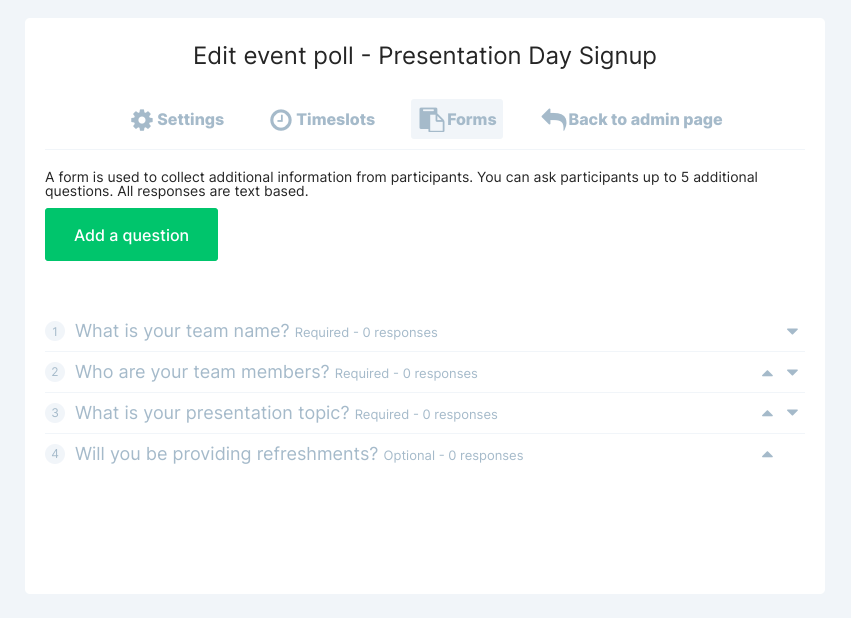
To add a form to your poll, simple go to your admin page and on the navigation, select 'Add text form questions'. The click add a question. From there, you can edit your question and reorder it. You can also delete it if you no longer want to use it. However, if you prefer to hold onto the results from the question, it's best to mark it as hidden.
Say goodbye to multiple products, and hello to one simple solution for scheduling polls and forms. Subscribe to a Pro account get get started immediately.