
Every flu season, companies look for ways to keep their teams healthy and reduce the number of sick days. One of the most effective strategies is offering on-site flu shots at the workplace. But the real challenge isn’t providing the shots—it’s organizing employee flu shot scheduling in a way that avoids confusion, double-booking, or long lines.
That’s where TallyCal, a simple yet powerful signup sheet tool, comes in. With TallyCal, HR teams can set up an online flu shot signup sheet that allows employees to pick their time slot in seconds. No spreadsheets. No email chains. Just smooth, self-serve scheduling.
Here’s how your company can use TallyCal to manage flu shot sign-ups with ease.
1. Create a Dedicated Flu Shot Signup Sheet
Start by creating a new signup sheet in TallyCal:
-
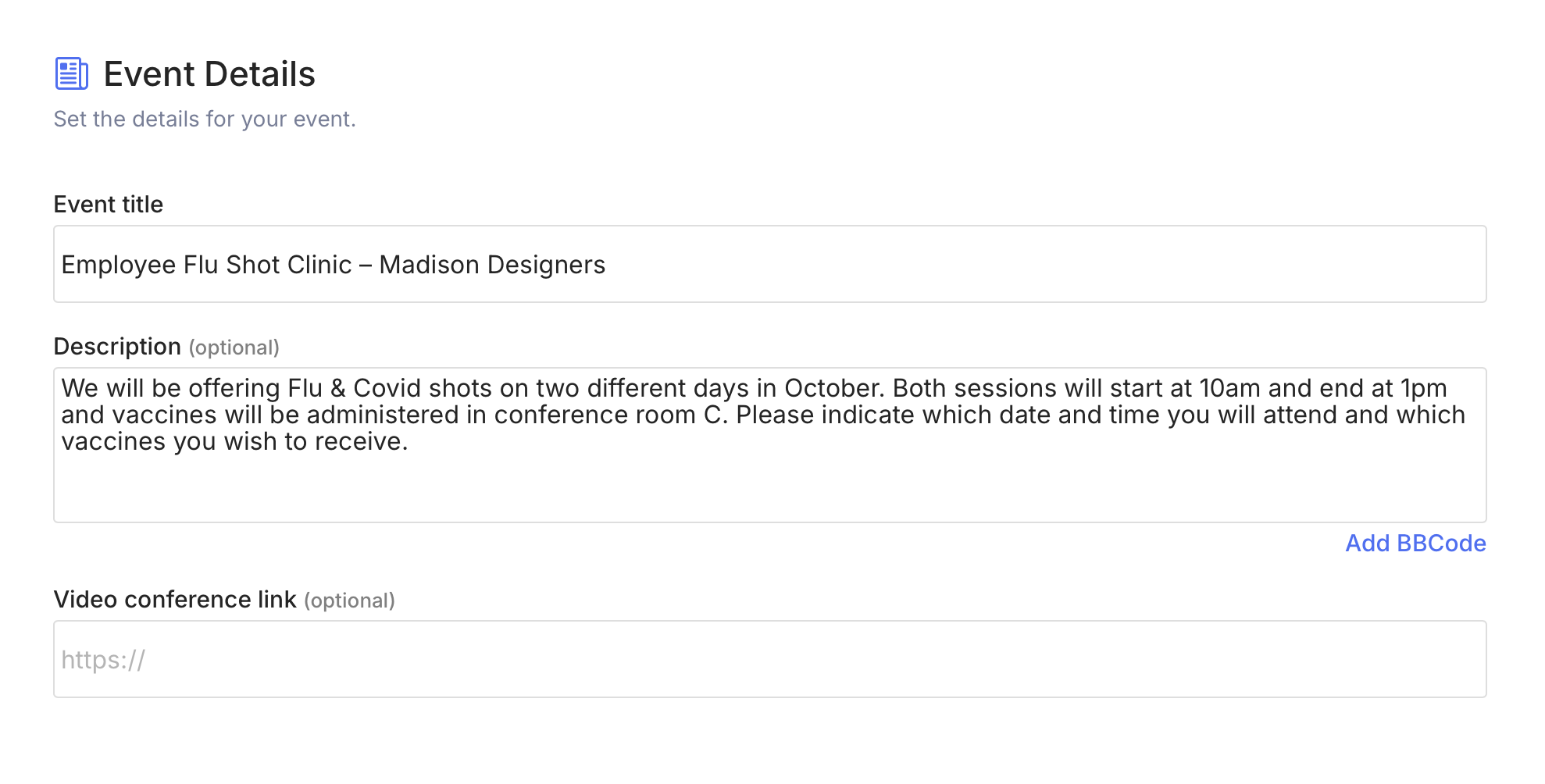
Title it something clear, like “Employee Flu Shot Clinic – [Company Name]”
-
Add the date(s) of your flu shot clinic
-
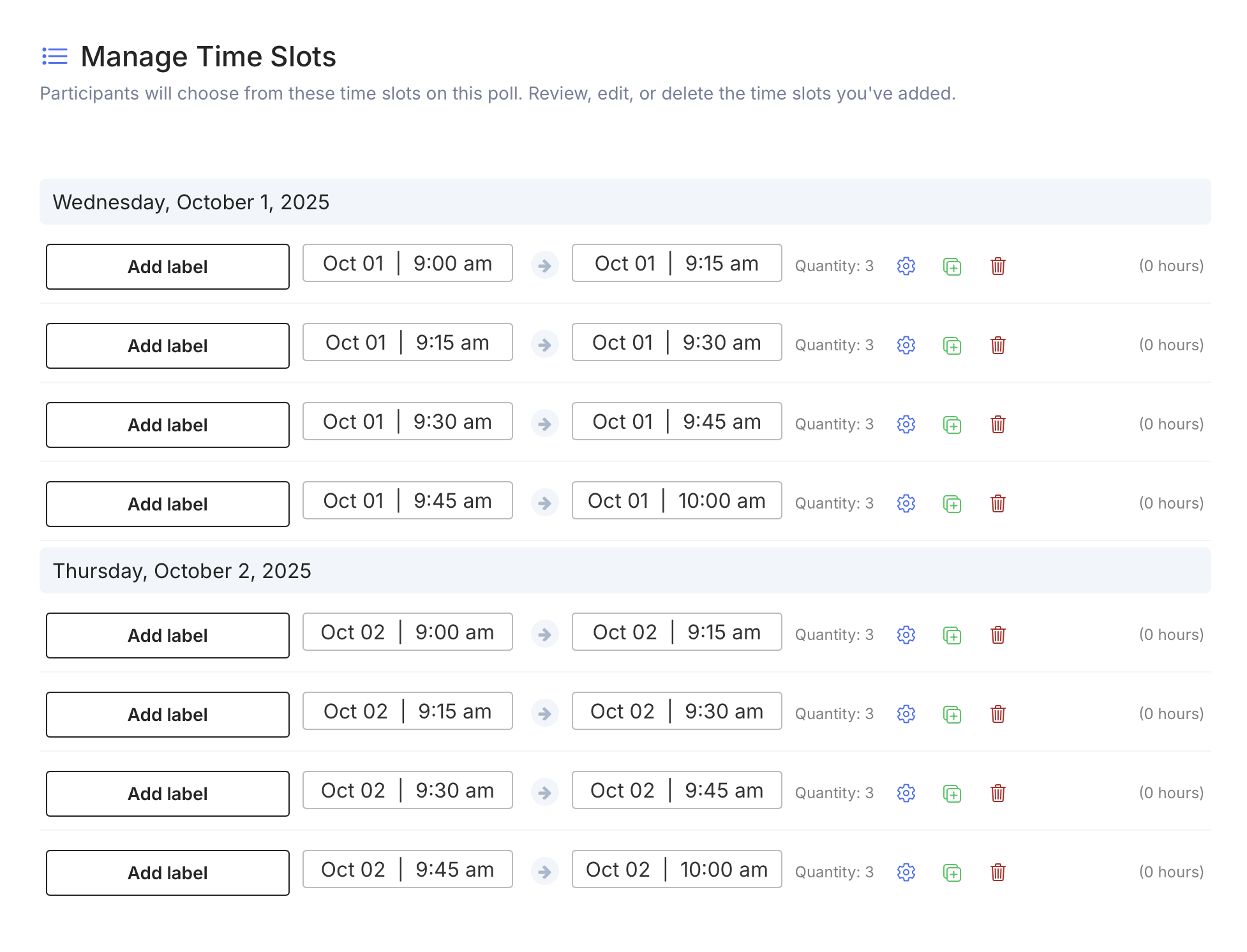
Break the day into time slots (e.g., every 10–15 minutes) depending on how long each appointment takes
This ensures employees are spread evenly throughout the day and your on-site provider isn’t overwhelmed.
2. Set Time Slot Capacity to Prevent Overbooking
Unlike a paper signup sheet, TallyCal lets you assign capacity limits to each time slot. For example, if your provider can vaccinate 5 employees every 15 minutes, you can cap the slot at 5 sign-ups.
Once a slot fills up, it automatically closes—so you never risk overbooking or having too many employees show up at once.
3. Share the Signup Sheet with Employees
When your flu shot sign-up form is ready, TallyCal gives you a shareable link. You can:
-
Email it to your entire workforce
-
Share it in Slack, Teams, or your company intranet
-
Generate a QR code for posters around the office
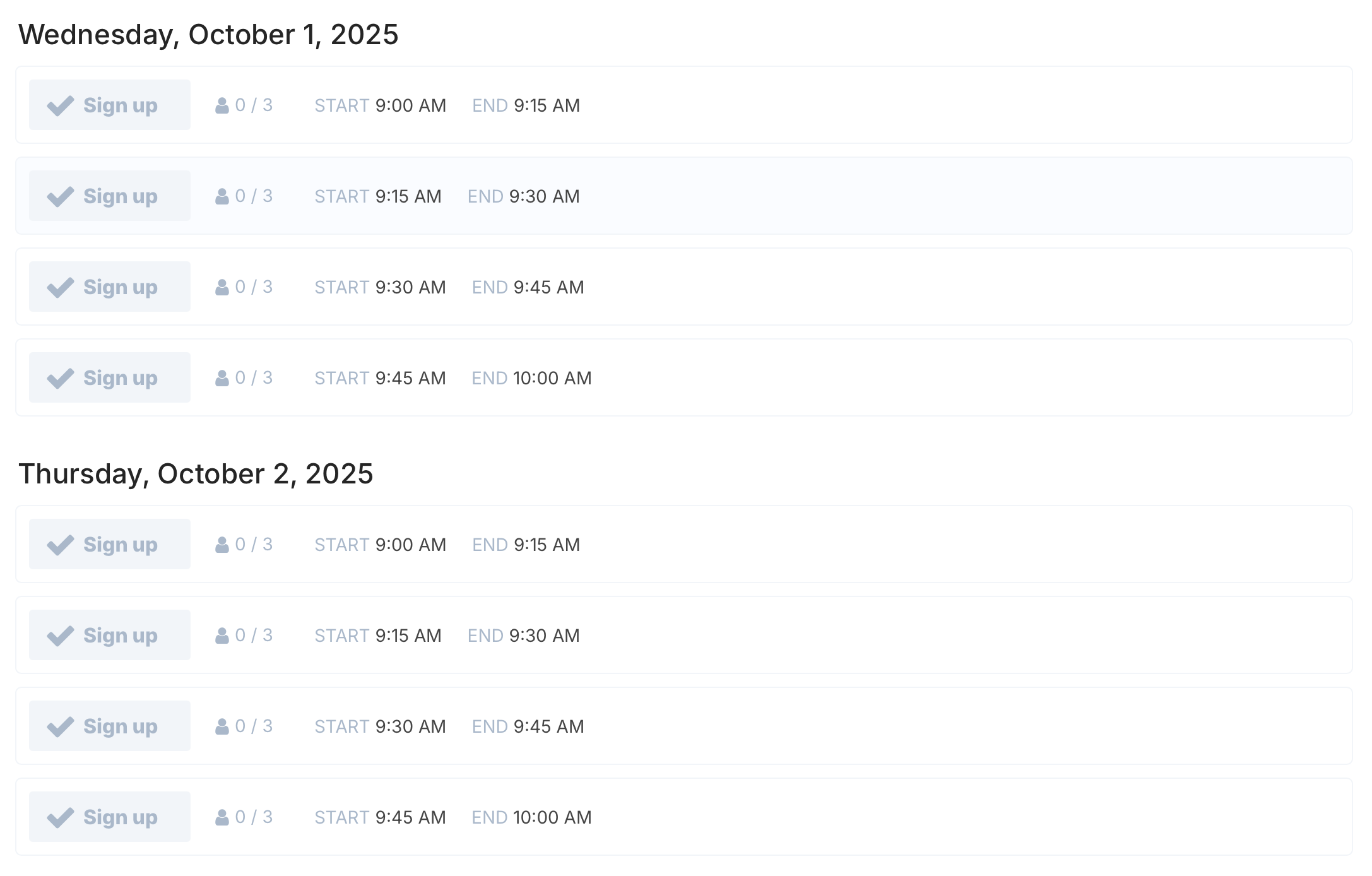
Employees simply click the link, choose their preferred time slot, and confirm. No account or complicated login required.
4. Track Flu Shot Appointments in Real Time
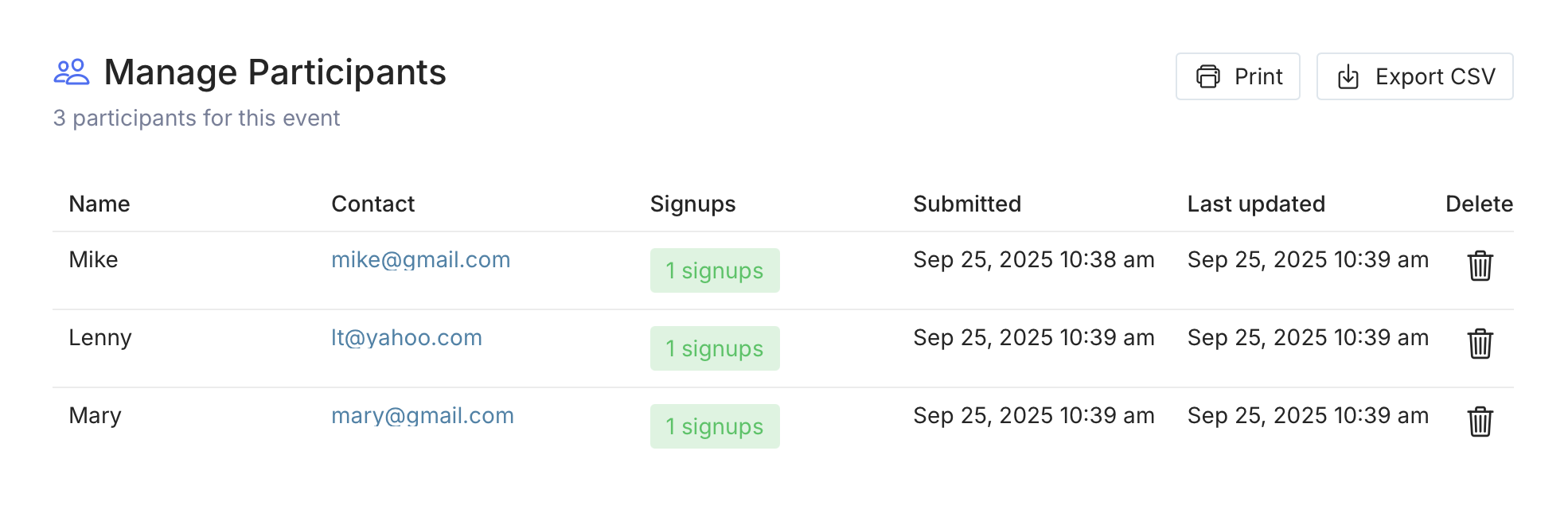
HR admins can view real-time flu shot registration data directly in TallyCal:
-
See which employees are signed up
-
Edit or reassign slots if necessary
-
Export the schedule to share with your flu shot provider
This makes it easy to coordinate and keep everyone on the same page.
5. Send Automated Reminders to Reduce No-Shows
No-shows are one of the biggest headaches for workplace clinics. With TallyCal, you should send reminder notifications to employees before their scheduled appointment.
This simple step helps reduce missed appointments and ensures your flu shot clinic runs smoothly from start to finish.
Why TallyCal Is the Best Flu Shot Signup Solution
TallyCal is designed to make scheduling simple—not just for flu shots, but for any workplace event. Here’s why it works especially well for corporate flu shot sign-ups:
-
✅ Easy setup – Create a flu shot signup sheet in minutes
-
✅ Employee-friendly – Sign up from any device, no login required
-
✅ Smart scheduling – Built-in slot limits prevent overbooking
-
✅ Real-time visibility – HR sees signups as they happen
-
✅ Scalable – Works for small teams or large companies with thousands of employees
Final Thoughts: Make Flu Shot Scheduling Stress-Free
Organizing an on-site flu shot clinic doesn’t need to be complicated. By using TallyCal’s flu shot scheduling software, companies can give employees the flexibility to choose their time slot while ensuring the process stays organized and efficient.
Healthy employees mean fewer sick days and a stronger workplace. With TallyCal, setting up your employee flu shot signup sheet is quick, professional, and stress-free.
👉 Ready to streamline your company’s flu shot sign-ups? Get started with TallyCal today.