
Picture this: You, effortlessly gliding through your academic journey, staying ahead of deadlines, acing exams, and still having time for the things you love. Sounds like a dream, right? Well, it's time to turn that dream into reality. In this blog post, we're unveiling the ultimate roadmap to becoming a successful student by harnessing the power of the best productivity tools available. Say goodbye to last-minute cramming sessions and hello to a well-oiled study machine. From staying organized to maximizing focus, we've got you covered every step of the way. So, if you're ready to unlock your full potential and become the student you've always aspired to be, grab your notebook and let's dive in!
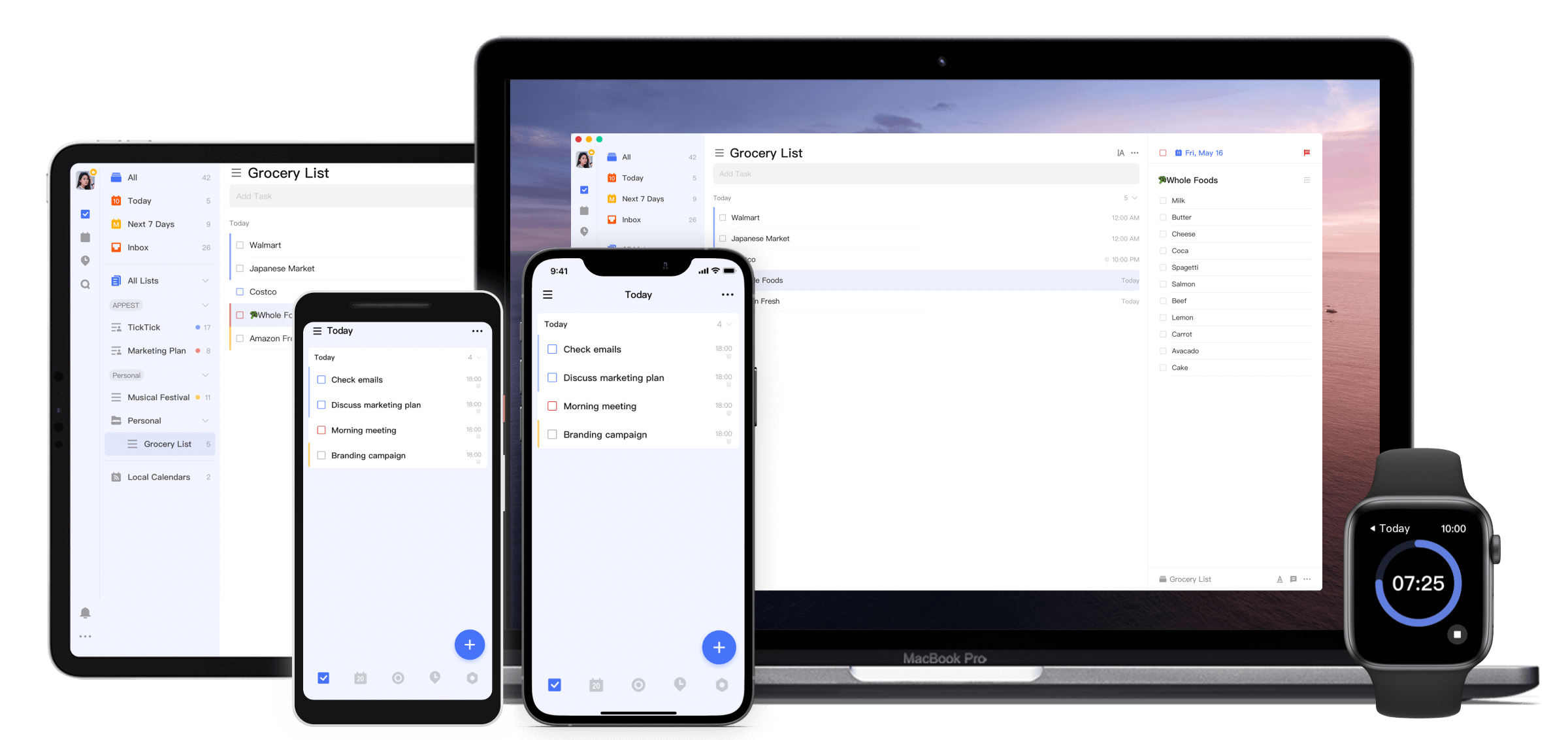
TickTick: Unleash Your Academic Potential
Category: Organization and ToDo list
Price: Free. Premium features available for $3/month.
As a student navigating through a multitude of tasks—from assignments and exams to extracurricular commitments—finding a reliable and effective productivity tool is key. Let me introduce you to TickTick, a powerful app designed to enhance student productivity and organization.
TickTick's intuitive interface allows you to create to-do lists, set reminders, and organize tasks into projects seamlessly. TickTick has transformed the way students manage their academic and personal responsibilities. It can be used to break down larger assignments into smaller, manageable tasks, setting due dates and priority levels to stay on track. The built-in calendar view provides a clear overview of upcoming deadlines and events, preventing any last-minute rushes. TickTick's cross-platform compatibility ensures that whether on a laptop or phone, my tasks are always synced and accessible. Plus, its integration with other apps like Google Calendar and Evernote makes it even more versatile.
If you're looking to boost your productivity and stay organized amidst the chaos of student life, give TickTick a try—it might just become your new favorite study buddy.
What are students saying about TickTick?
While there are occasional comments discussing feature requests or minor issues, overall sentiment towards TickTick is positive, with students viewing it as a reliable and efficient tool for improving productivity and organization.
Trello: Your Ultimate Study Sidekick
Category: Organization and ToDo list
Price: 10 boards and unlimited cards for Free. Unlimited boards and advanced features for $5/month.
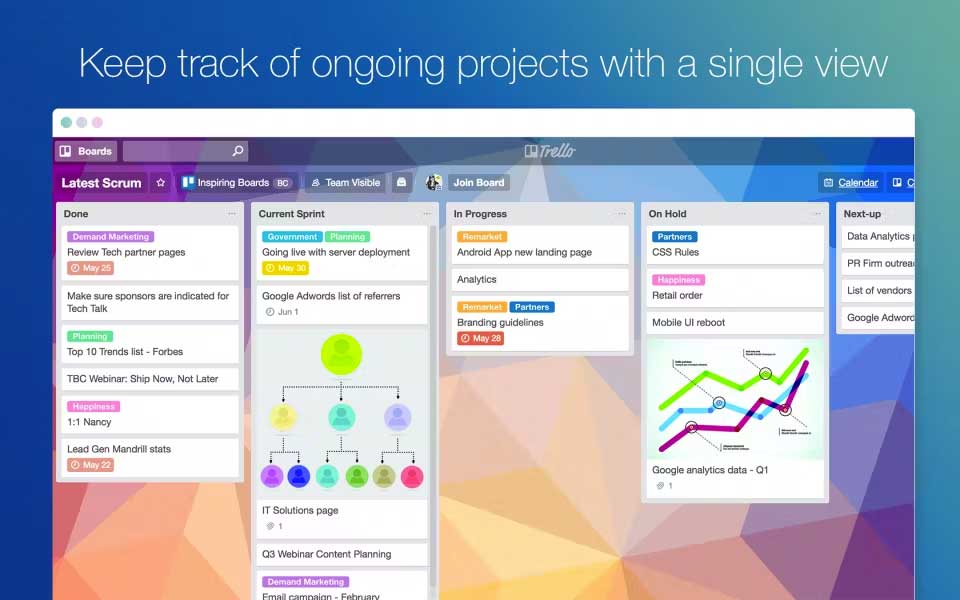
In the chaotic whirlwind of student life, staying organized can often feel like an uphill battle. But fear not, because Trello is here to revolutionize the way you tackle your academic endeavors. This versatile tool, often praised for its simplicity and effectiveness, serves as the ultimate study sidekick for students striving to boost productivity and streamline their workload.
Imagine having all your tasks, assignments, and projects neatly laid out in front of you, effortlessly organized and prioritized. With Trello's intuitive interface, you can create customizable boards for each of your subjects or courses, allowing you to visually map out your academic journey with ease. Whether it's tracking upcoming deadlines, jotting down important lecture notes, or collaborating with classmates on group projects, Trello offers a flexible platform that adapts to your unique needs. But Trello isn't just about keeping track of tasks – it's about taking control of your time and maximizing efficiency. With features like customizable labels, due dates, and checklists, you can break down complex projects into manageable steps, ensuring that nothing falls through the cracks. Plus, Trello's seamless integration with other productivity tools like Google Drive, Dropbox, and Slack makes collaboration a breeze, allowing you to work smarter, not harder.
So, whether you're a seasoned scholar or a fresh-faced freshman, Trello is your ticket to academic success. Say goodbye to the days of frantic scrambling and hello to a more organized, productive approach to studying. With Trello by your side, the possibilities are endless – so why wait? Dive in today and unleash your full academic potential!
What are students saying about Trello?
Trello receives positive feedback for its intuitive interface, flexibility in organizing tasks, and collaborative features. Students appreciate its visual board layout, which simplifies project management and allows for easy tracking of tasks.
TallyCal: Find The Best Time To Meet With Your Group
Category: Scheduling and Calendar
Price: Unlimited polls and participants for Free. Get Pro features for $7/month.
Finding the ideal meeting time for group projects can often feel like solving a complex puzzle, especially when coordinating schedules among busy students. However, there's a clever tool that can simplify this process and make scheduling a breeze: TallyCal. TallyCal is a versatile online scheduling tool that allows you to propose multiple meeting times to a group and easily determine the most convenient option for everyone involved.
Imagine you're working on a group presentation for a class project with four classmates, each juggling their own lectures, part-time jobs, and extracurricular activities. Sending out individual messages to align everyone's schedules would be time-consuming and inefficient. Instead, create a TallyCal poll with potential meeting times, share it with your group, and watch as everyone inputs their availability. Within minutes, TallyCal provides a clear overview of when everyone is free, making it effortless to pinpoint the best meeting slot that suits everyone's schedules. This streamlined approach not only saves time but ensures that group collaboration is efficient and inclusive.
Give TallyCal a try for your next student project, and experience firsthand how it simplifies the coordination process, allowing you to focus more on the project itself rather than scheduling headaches.
What are students saying about TallyCal?
Students often mention TallyCal's versatility, as it can be used for various purposes beyond just meeting scheduling, such as organizing social gatherings or coordinating group activities. Overall, TallyCal polls are regarded favorably by students for their convenience and efficiency in simplifying the coordination of schedules among groups.
Google Calendar: Mastering Your Schedule
Category: Scheduling and Calendar
Price: Free
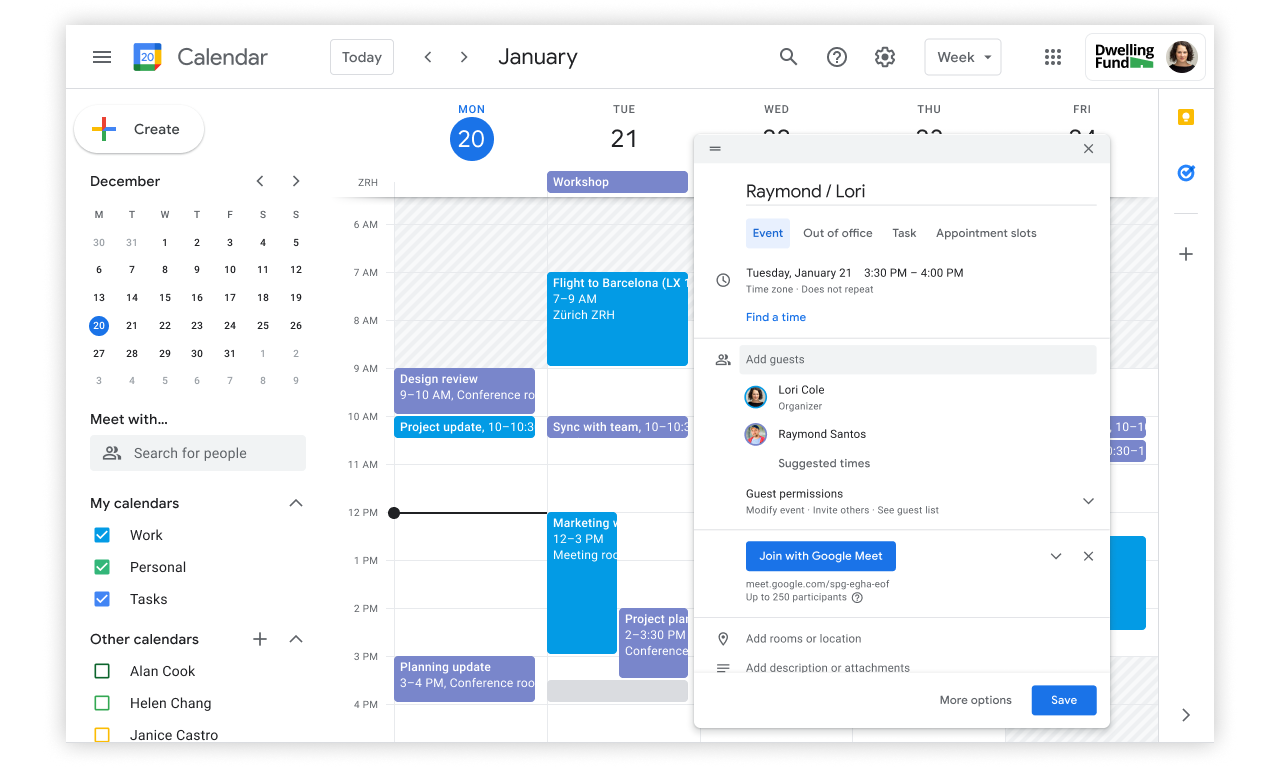
In the bustling world of academia, time is of the essence. With lectures, assignments, extracurricular activities, and social commitments vying for your attention, staying on top of your schedule can feel like a Herculean task. Enter Google Calendar – the ultimate tool for students seeking to take control of their time and boost productivity.
At its core, Google Calendar is more than just a digital planner – it's a personal assistant, tirelessly working behind the scenes to keep you organized and on track. With its intuitive interface and seamless integration with other Google services, such as Gmail and Google Drive, Google Calendar empowers you to create a comprehensive schedule that syncs seamlessly across all your devices. But what sets Google Calendar apart is its versatility. From color-coded events and customizable reminders to recurring tasks and time-blocking features, Google Calendar offers a plethora of tools to help you tailor your schedule to suit your unique needs and preferences. Whether you're juggling multiple classes, planning study sessions, or scheduling group meetings, Google Calendar provides the flexibility and functionality you need to stay ahead of the game. But perhaps the most powerful aspect of Google Calendar is its ability to foster accountability and discipline. By setting clear goals and deadlines, and committing them to your calendar, you create a tangible roadmap for success, holding yourself accountable for your academic and personal growth. Plus, with the option to share your calendar with classmates or study groups, you can facilitate collaboration and coordination, ensuring that everyone stays on the same page.
In essence, Google Calendar is more than just a scheduling tool – it's a game-changer for students striving to maximize their time and productivity. So why settle for chaos and uncertainty when you can take charge of your schedule with Google Calendar? Start today, and unlock the potential to achieve your academic goals with confidence and ease.
What are students saying about Google Calendar?
Students mention leveraging Google Calendar for personal, professional, and collaborative purposes, citing its effectiveness in managing busy schedules, coordinating appointments, and staying organized.
Apple Reminders App: Maximize Your Student Potential With Reminders
Category: Organization and ToDo list
Price: Free with ownership of an Apple device.
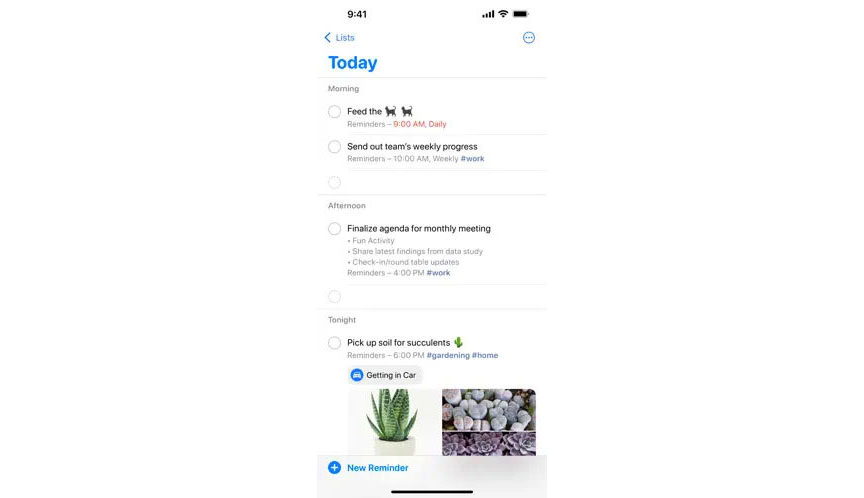
Staying on top of assignments, exams, and extracurricular activities is essential for success. Luckily, with the Apple Reminders app at your fingertips, mastering your schedule has never been easier. This intuitive app, seamlessly integrated into your iPhone, serves as the ultimate productivity companion for students striving to stay organized and focused.
With the Apple Reminders app, you can wave goodbye to the chaos of scattered sticky notes and forgotten tasks. Its user-friendly interface allows you to create detailed to-do lists, set due dates, and categorize tasks into custom lists, ensuring that nothing slips through the cracks. Whether it's remembering to turn in that essay or preparing for an upcoming presentation, the Apple Reminders app keeps you on track and accountable. But the app's functionality goes beyond simple task management. With features like location-based reminders and Siri integration, you can set alerts based on your physical location or even dictate tasks hands-free, allowing for seamless integration into your daily routine. Plus, with iCloud synchronization, your reminders stay up to date across all your Apple devices, keeping you organized no matter where you are. Moreover, the Apple Reminders app empowers students to prioritize self-care and wellness amidst the demands of academic life. By scheduling reminders for exercise, mindfulness practices, or relaxation breaks, you can maintain a healthy work-life balance and prevent burnout, ultimately enhancing your overall productivity and well-being.
So whether you're a busy undergraduate juggling classes and extracurriculars or a graduate student navigating the complexities of research and thesis writing, the Apple Reminders app is your key to unlocking your full academic potential. Embrace the power of organization and efficiency with this indispensable tool, and watch as you soar to new heights of success in your academic journey.
What are students saying about the Apple Reminder app?
The ability to sync Reminders across Apple devices, including iPhone, iPad, and Mac, is frequently praised for ensuring that tasks are always accessible and up-to-date. However, some student discussions note limitations in advanced features compared to third-party task management apps.
ToDoist: Supercharge Your Student Life
Category: Organization and ToDo list
Price: 5 personal projects are Free. The Pro plan with 300 personal projects is $5/month.
Are you ready to take your productivity to the next level? Look no further than ToDoist – the ultimate task management app designed to help students conquer their academic goals with ease. With its sleek interface and powerful features, ToDoist empowers students to stay organized, focused, and on top of their game.
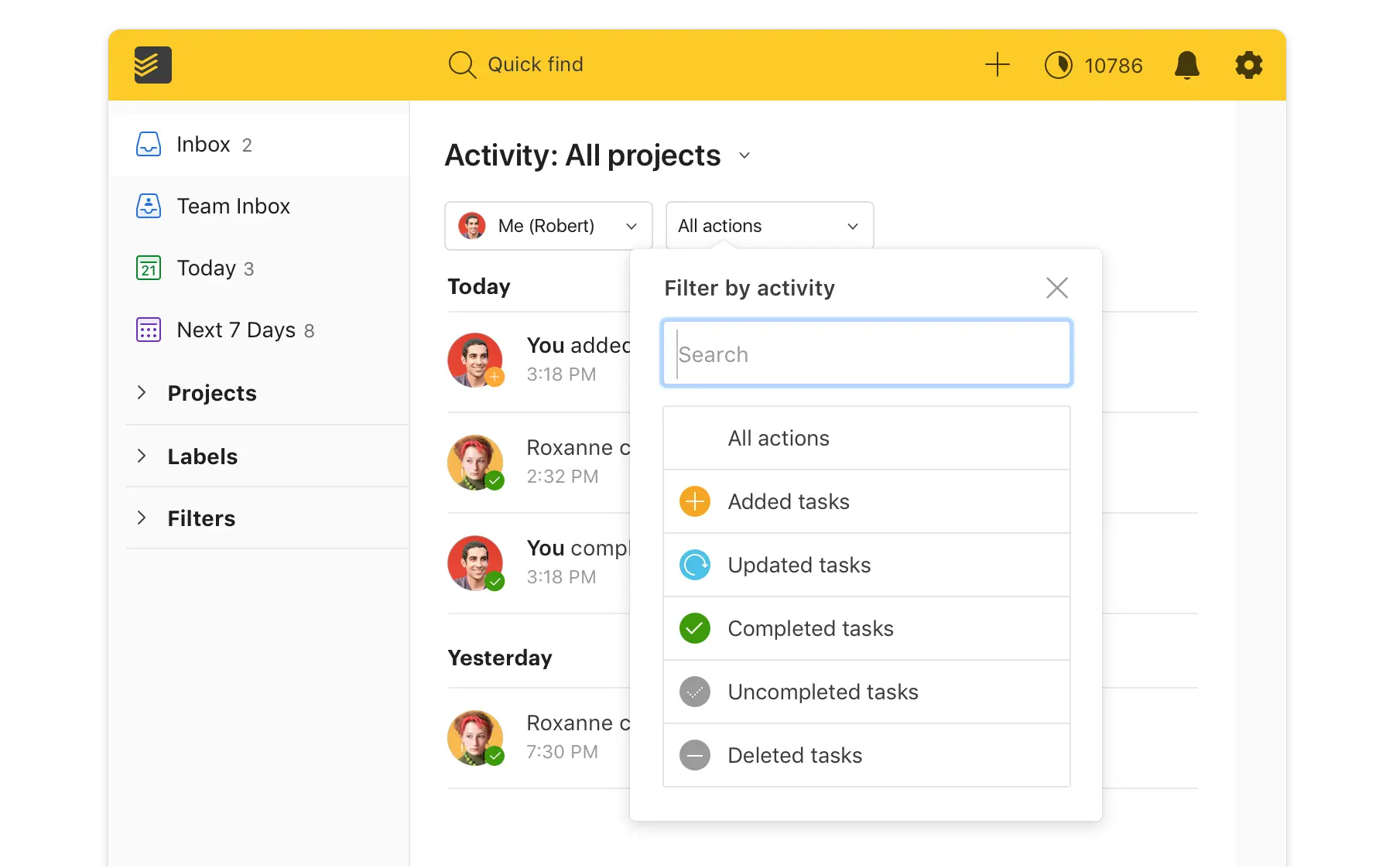
Gone are the days of forgotten deadlines and missed assignments. With ToDoist, students can create detailed to-do lists, set deadlines, and prioritize tasks with just a few taps. Whether it's keeping track of upcoming exams, scheduling study sessions, or managing group projects, ToDoist ensures that nothing falls through the cracks. But what truly sets ToDoist apart is its flexibility and customization options. With features like labels, filters, and sub-tasks, students can tailor their task lists to suit their unique needs and preferences. Plus, with seamless integration across devices and platforms, ToDoist keeps students connected and organized no matter where they are. Moreover, ToDoist goes beyond just managing tasks – it helps students cultivate healthy habits and routines that promote academic success. With features like recurring tasks and productivity trends, students can track their progress over time and identify areas for improvement, ultimately leading to greater efficiency and productivity.
Whether you're just starting out as a freshman, tackling the whirlwind of college experiences, or you're a graduate student juggling coursework alongside research and internships, ToDoist is the tool that keeps you on top of it all. Embrace the strength of organization and seize command of your academic path with ToDoist—your gateway to unleashing your maximum potential.
What are students saying about ToDoist?
Students value ToDoist for its flexibility, allowing them to adopt different productivity methodologies like GTD (Getting Things Done) or Kanban within the app. Additionally, the availability of features like labels, filters, and recurring tasks contributes to its appeal for organizing and prioritizing tasks effectively.
Notion: Transform Your Student Life
Category: Note taking and documentation
Price: Free. Paid plans with advanced features starting at $8/month.
Ready to revolutionize the way you approach your studies? Look no further than Notion – the all-in-one workspace that's redefining productivity for students everywhere. With its versatile features and customizable interface, Notion empowers students to streamline their workflows, stay organized, and unleash their full academic potential.
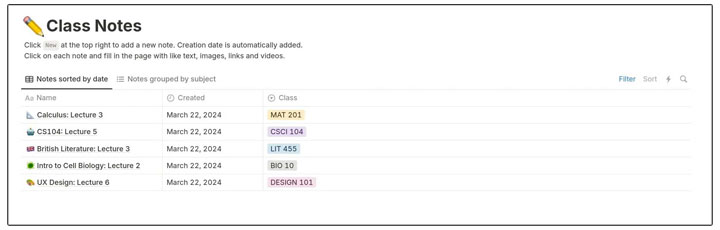
The days of juggling multiple apps and platforms to manage your assignments, notes, and schedules are over. With Notion, everything you need is at your fingertips. Create custom databases to track your coursework, organize your lecture notes into beautifully formatted pages, and collaborate with classmates in real-time – all within a single, seamlessly integrated platform. But Notion is more than just a note-taking app – it's a powerhouse of productivity tools designed to support every aspect of your student life. From task lists and kanban boards to calendars and databases, Notion adapts to your unique needs and preferences, allowing you to create a personalized workspace that works for you. Moreover, Notion's flexibility extends beyond just academic use. With features like habit tracking, goal setting, and project management, Notion helps students cultivate healthy habits and routines that promote success both inside and outside the classroom.
If you're diving into the challenges of college life as a freshman or managing the complexities of coursework, research, and internships as a graduate student, Notion stands as your secret weapon for maintaining organization, focus, and peak performance. Embrace Notion's power and revolutionize your student experience today—there are limitless possibilities waiting for you.
What are students saying about Notion?
Student discussions about Notion generally showcase a mix of positive feedback and constructive criticism. Users appreciate Notion for its versatility as an all-in-one workspace that can be adapted for various purposes, including note-taking, task management, project planning, and knowledge organization. However, some students also mention a learning curve associated with mastering Notion's more advanced features and customization options. Users have expressed feedback on performance issues, particularly with large databases or complex setups.
Forest: Boost Your Focus and Productivity
Category: Focus
Price: $3.99 to purchase on the App store.
In the digital age, distractions are everywhere, making it challenging for students to stay focused and productive. Enter Forest – the innovative app blocker that helps students reclaim their concentration and maximize their study time. With its unique approach to time management, Forest empowers students to cultivate a distraction-free environment and achieve their academic goals with ease.
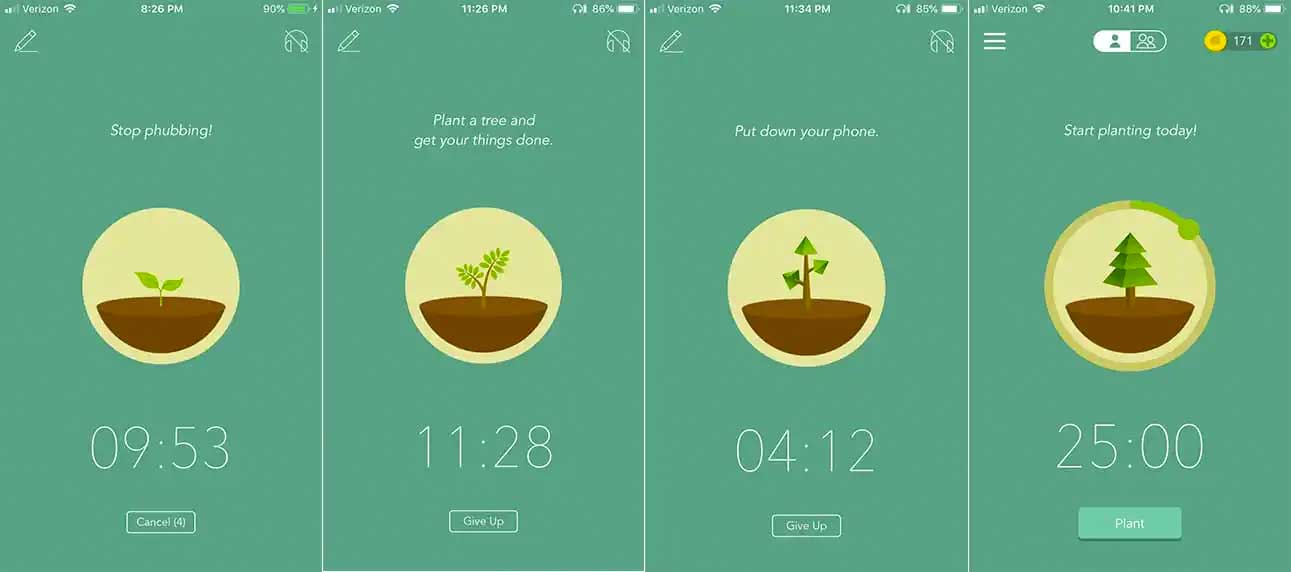
The concept behind Forest is simple yet effective: by planting virtual trees and setting a timer for focused work sessions, students are incentivized to stay off their phones and stay on task. As the timer ticks away, a tree grows in the app – but beware, if you succumb to temptation and exit the app before the timer is up, your tree will wither and die. This gamified approach to productivity encourages students to resist distractions and stay committed to their work, ultimately helping them build better study habits and improve their focus. But Forest isn't just about blocking distractions – it's also about promoting mindfulness and balance. By encouraging students to take regular breaks and step away from their screens, Forest helps prevent burnout and maintain a healthy work-life balance. Plus, with features like detailed statistics and progress tracking, students can monitor their productivity habits over time and make adjustments as needed to optimize their study sessions.
So whether you're a procrastination-prone freshman or a seasoned scholar looking to boost your productivity, Forest is your go-to tool for staying focused and on track. Embrace the power of Forest and watch as your productivity blooms – one tree at a time.
What are students saying about the Forest app?
Students appreciate Forest for its gamified concept, where growing virtual trees serves as a visual representation of focused work sessions. The app's ability to discourage phone usage by penalizing distractions that cause trees to wither is frequently highlighted as an effective motivator for staying focused. However, there are occasional comments discussing minor issues or limitations, such as the need for more customization options or integration with other productivity tools.
Freedom: Unleash Your Academic Potential
Category: Focus
Price: $8.99/month with a free trial, plus heavy discounts for paying annually.
Staying focused amidst the sea of online distractions can be a daunting task, especially for students. But fear not, because Freedom is here to help you reclaim your concentration and boost your productivity. As a powerful app and website blocker, Freedom empowers students to take control of their study sessions and eliminate distractions with ease.
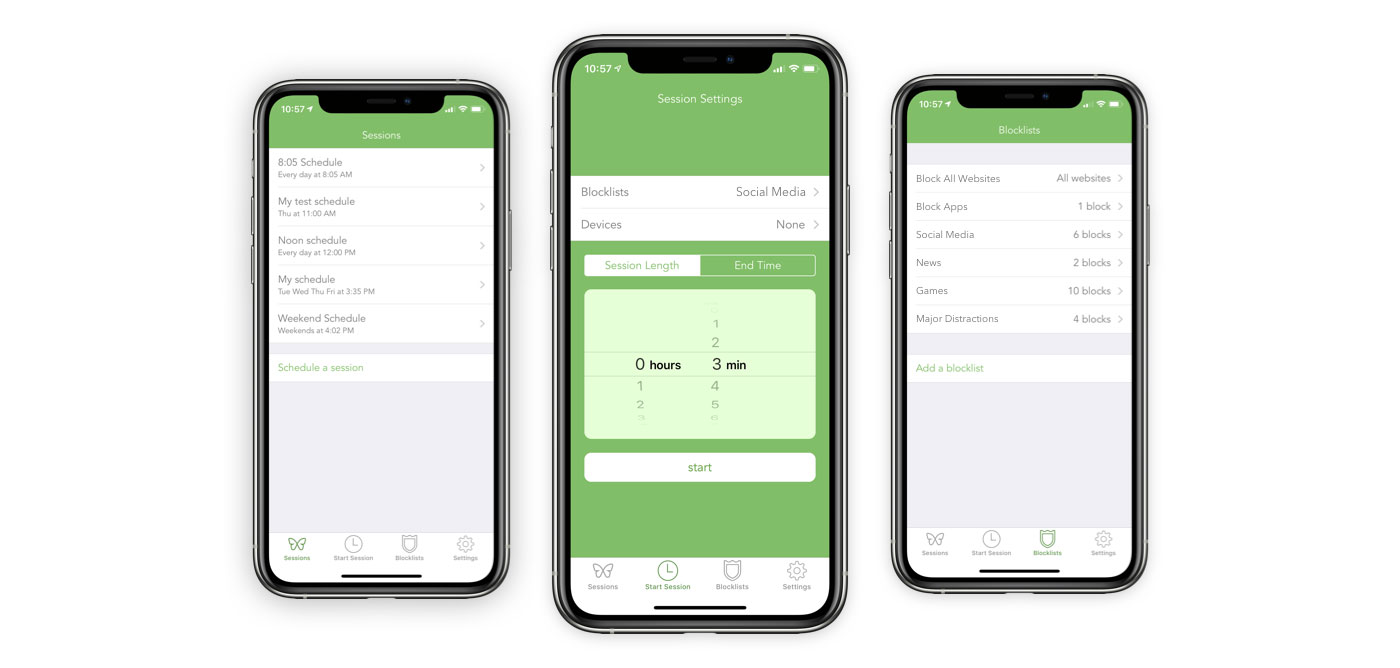
With Freedom, students can block access to distracting websites, social media platforms, and apps for set periods of time, allowing them to fully immerse themselves in their studies without temptation lurking just a click away. Whether it's resisting the urge to check notifications or avoiding the endless scroll of newsfeeds, Freedom provides a barrier between students and distractions, helping them stay focused and on track. But Freedom goes beyond just blocking websites and apps – it also offers advanced scheduling features, allowing students to plan their study sessions in advance and automate their focus sessions. With customizable blocklists and recurring schedules, students can create a distraction-free environment tailored to their unique needs and preferences, ensuring maximum productivity during their designated study time. Moreover, Freedom promotes mindfulness and intentionality by encouraging students to take regular breaks and step away from their screens. By incorporating short breaks into their study sessions, students can recharge their minds, prevent burnout, and maintain a healthy balance between work and relaxation.
If whether you're a freshman adjusting to college life or a graduate student navigating the demands of advanced coursework, Freedom is your secret weapon for staying focused, productive, and in control of your academic success. Embrace the power of Freedom and unlock your full potential – one distraction-free study session at a time.
What are students saying about Freedom?
Students find Freedom helpful for managing procrastination and improving productivity by setting boundaries on their digital usage during work or study sessions. The app's cross-platform compatibility and ability to sync settings across devices are also mentioned positively. Users appreciate the flexibility of Freedom's scheduling options, which can be adjusted based on specific needs and routines. However, there are occasional comments discussing technical issues or feature requests, such as improvements to the user interface or additional customization options.
Grammarly: Elevate Your Academic Writing
Category: Writing
Price: Free. Premium features available for $12/month.
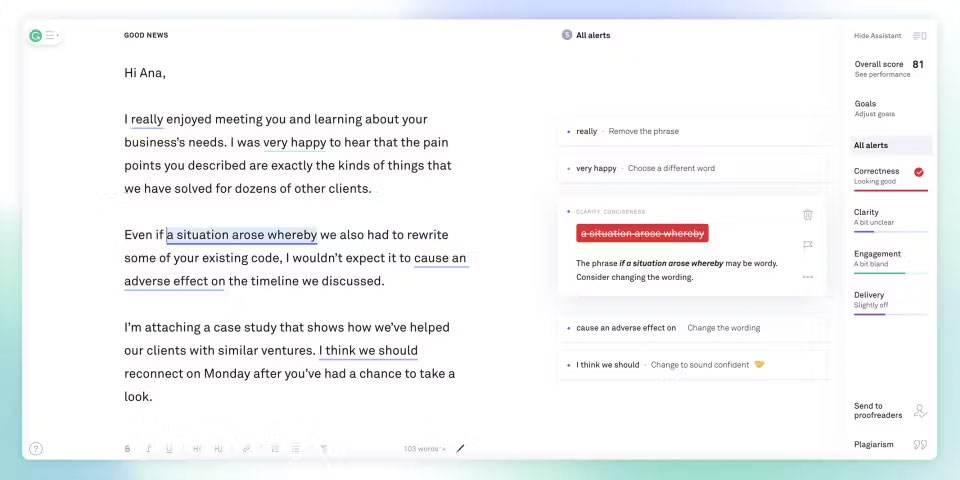
In the world of academia, clear and concise writing is key to success. That's where Grammarly comes in – the ultimate writing assistant for students looking to enhance their writing skills and productivity. With its advanced grammar checking, style suggestions, and plagiarism detection features, Grammarly empowers students to write with confidence and precision.
Gone are the days of painstakingly proofreading your essays and papers line by line. With Grammarly, students can instantly identify and correct grammar mistakes, punctuation errors, and awkward phrasing, saving valuable time and ensuring that their writing is polished and professional. Whether you're drafting a research paper, crafting a persuasive essay, or composing an email to your professor, Grammarly offers real-time feedback and suggestions to help you improve your writing and communicate more effectively.
But Grammarly isn't just about fixing mistakes – it's also about helping students develop their writing skills and grow as writers. With personalized insights and explanations for each correction, Grammarly provides valuable feedback that helps students understand common writing pitfalls and learn how to avoid them in the future. Plus, with its built-in plagiarism checker, Grammarly helps students maintain academic integrity by ensuring that their work is original and properly cited. Moreover, Grammarly seamlessly integrates into your writing process, whether you're using it on your computer, smartphone, or web browser. With its intuitive interface and user-friendly design, Grammarly makes it easy to access its powerful writing tools wherever you are, allowing you to write with confidence and clarity no matter the task.
If you're a freshman honing your writing skills or a graduate student striving for perfection, Grammarly is your go-to writing companion for academic success. Embrace the power of Grammarly and take your writing to the next level – your professors will thank you, and your grades will reflect your newfound writing prowess.
What are students saying about Grammarly?
Students find Grammarly helpful for enhancing clarity and professionalism in their writing, especially for academic assignments, professional communications, and creative projects. Additionally, Grammarly's browser extension and integration with popular platforms like Microsoft Word, Google Docs, and Gmail contribute to its convenience and accessibility. Some users also appreciate Grammarly's additional features, such as tone detection and plagiarism detection, which provide deeper insights into writing style and originality.
However, there are occasional comments discussing privacy concerns related to Grammarly's data collection practices and the limitations of its free version compared to the premium subscription.
Focus To Do: Master Your Study Sessions
Category: Focus
Price: $7.99/month with a free trial, plus heavy discounts for paying annually.
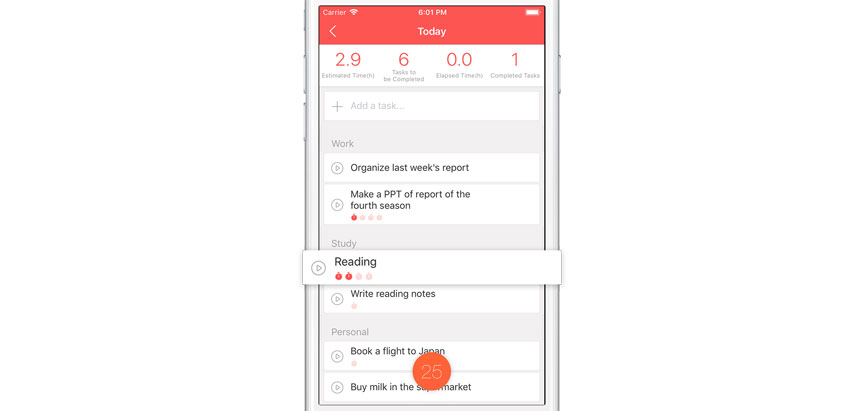
In the whirlwind of student life, staying focused and productive is essential for academic success. That's where Focus To Do comes in – the ultimate time management tool designed to help students make the most of their study sessions. With its intuitive interface and powerful features, Focus To Do empowers students to stay on track, manage their time effectively, and achieve their academic goals with ease.
At its core, Focus To Do is a Pomodoro timer app that utilizes the renowned Pomodoro Technique to boost productivity. By breaking study sessions into manageable intervals – typically 25 minutes of focused work followed by a short break – Focus To Do helps students maintain concentration and avoid burnout. This structured approach to studying encourages students to work with purpose and intensity, making the most of their study time while preventing fatigue and overwhelm. But Focus To Do is more than just a timer – it's a comprehensive time management tool that helps students organize their study sessions, track their progress, and stay motivated. With features like task lists, customizable timers, and detailed statistics, Focus To Do allows students to plan their study sessions in advance, set clear goals, and monitor their productivity over time. Plus, with its built-in white noise and nature sounds, Focus To Do creates a serene study environment that promotes focus and concentration. Moreover, Focus To Do goes beyond just managing study sessions – it helps students cultivate healthy study habits and routines that promote long-term success. By encouraging regular breaks, preventing procrastination, and fostering a balanced approach to studying, Focus To Do empowers students to achieve their academic goals while maintaining their well-being.
So whether you're a freshman adjusting to college life or a graduate student juggling coursework, research, and internships, Focus To Do is your go-to tool for staying focused, organized, and productive. Embrace the power of Focus To Do and take control of your study sessions – your academic success awaits!
What are students saying about Focus To Do?
Students liked Focus To Do but found that they rarely used the task and to-do list features. Some experienced glitches and Pomodoro resets. They found it is best foranyone who wants to combine task lists with Pomodoro sessions.
Pocket: Unlock Your Learning Potential
Category: Research and Curation
Price: $4.99/month with a free trial, plus heavy discounts for paying annually.
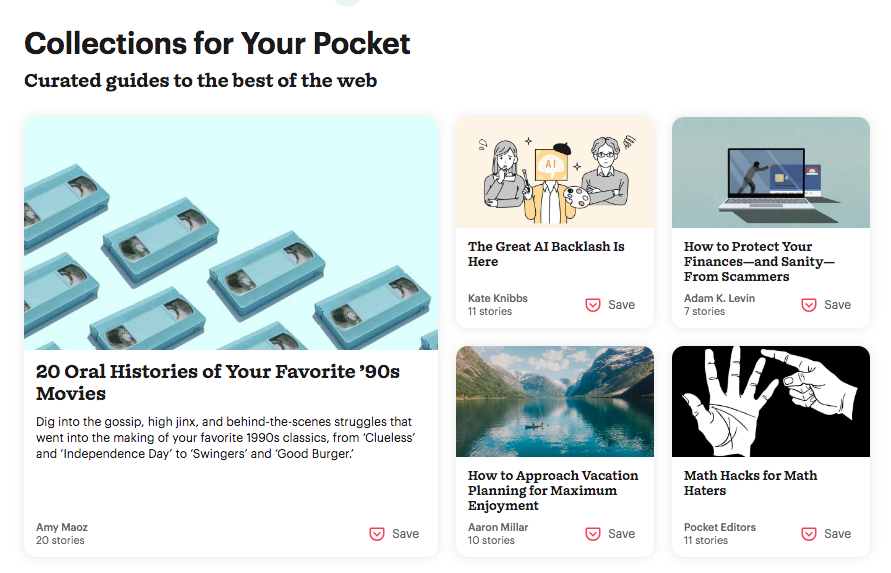
In the digital age, students are constantly bombarded with an abundance of information from various sources – articles, blog posts, research papers, and more. With so much content available at their fingertips, it can be challenging to keep track of valuable resources and stay organized. That's where Pocket comes in – the ultimate bookmarking app designed to help students curate and save content for later consumption.
With Pocket, students can effortlessly save articles, videos, and webpages with a single click, eliminating the need to bookmark or download content individually. Whether it's an insightful blog post, a thought-provoking research paper, or a helpful tutorial, Pocket allows students to collect and organize valuable resources in one centralized location.
But Pocket is more than just a digital filing cabinet – it's a powerful tool for active learning and knowledge retention. By saving relevant articles and materials related to their coursework or interests, students can create curated collections that serve as valuable study aids and reference materials. Plus, with Pocket's offline mode, students can access their saved content anytime, anywhere – even without an internet connection.
What are students saying about Pocket?
Students find Pocket helpful for managing information overload, bookmarking interesting content, and creating a personalized reading list. The app's offline access feature is often highlighted as a convenient way to access saved content without an internet connection, making it ideal for commuters or travelers. Additionally, Pocket's integration with other apps and services, such as web browsers and RSS readers, enhances its usability and flexibility. Users appreciate the simplicity of Pocket's interface and its effectiveness in decluttering their digital reading experience. However, there are occasional comments discussing limitations or feature requests, such as improvements to the search functionality or additional customization options for organizing saved content.
ChatGPT: Empower Your Studies
Category: Writing and learning
Price: $Access to GPT-3.5 is Free. Access to GPT-4 is $20/month.
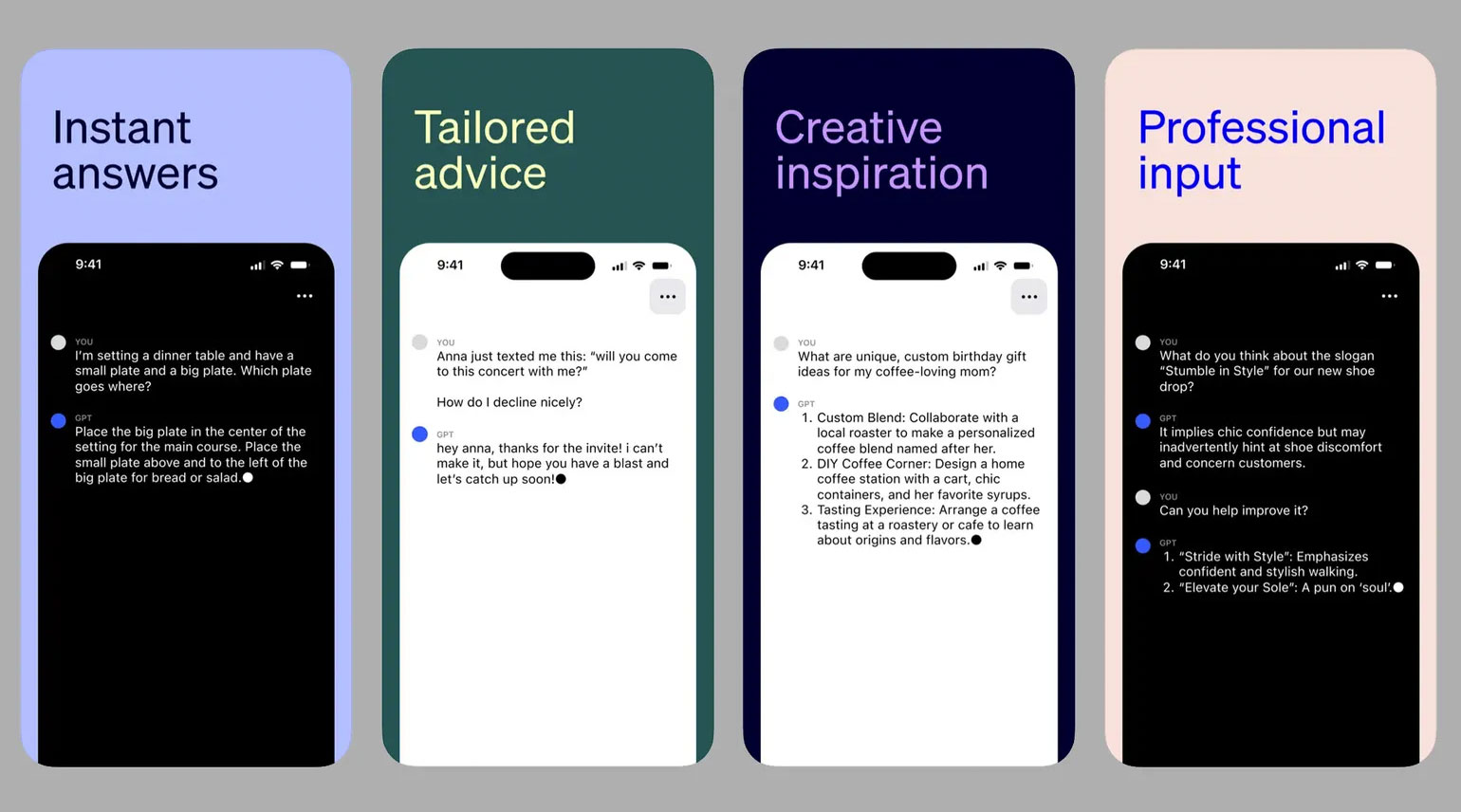
Students have access to a wealth of information at their fingertips, but sometimes finding the right answers can feel like searching for a needle in a haystack. Enter ChatGPT – the AI-powered virtual assistant that's revolutionizing the way students learn and study. With ChatGPT, students can tap into a vast reservoir of knowledge and expertise, getting instant answers to their questions and guidance on a wide range of topics.
Whether it's clarifying complex concepts, brainstorming ideas for a research paper, or seeking assistance with homework assignments, ChatGPT is here to lend a helping hand. By engaging in natural language conversations, students can articulate their queries in their own words and receive personalized responses tailored to their needs.
But ChatGPT isn't just a tool for answering questions – it's a versatile learning companion that can assist students in a variety of ways. From providing explanations and summaries of academic texts to generating creative ideas for projects or essays, ChatGPT offers invaluable support across the academic spectrum.
Moreover, ChatGPT's 24/7 availability means that students can access assistance whenever they need it, whether they're burning the midnight oil before an exam or studying on the go between classes. With ChatGPT by their side, students can overcome obstacles, deepen their understanding, and maximize their learning potential – all with the power of conversation.
If you're a high school student tackling algebra problems or a graduate student delving into advanced research, ChatGPT is your trusted ally for academic success. Embrace the power of ChatGPT and unlock new possibilities in your studies – the answers are just a conversation away!
What are students saying about Chat GPT?
Students find ChatGPT helpful for engaging in casual conversation, seeking information, or exploring creative writing prompts. The model's ability to understand and generate human-like text is often highlighted, making it a valuable tool for entertainment and educational purposes. However, there are occasional comments discussing limitations or areas for improvement, such as occasional inaccuracies in responses or the need for more robust handling of complex queries.
Conclusion
Embracing and testing new productivity tools can significantly enhance students' academic success. By adopting these tools, students can streamline their workflows, manage their time more effectively, and ultimately achieve higher levels of productivity. The versatility of these tools allows for personalized approaches to studying, catering to individual learning styles and preferences. Additionally, experimenting with various productivity tools fosters adaptability and technological proficiency, essential skills in today's digital age. Ultimately, integrating new tools into academic routines empowers students to maximize their potential, optimize their performance, and succeed in their educational endeavors.